TURING’S LABORATORY / EVIDENCE ROOM
The source archive.
Trace an idea, check a date, or find the original image. Every drawer keeps the evidence behind the lab.
01 / Teaching, design and code
Digital Culture Lab / DIKULT105, Ingrid Ormevik. Laboratory 2078 and the vibecoding workbench were developed with AI assistance and revised through human direction, code review and testing. The bus-stop replay is a constructed teaching demonstration, not a recording of a student session.
02 / Interface images
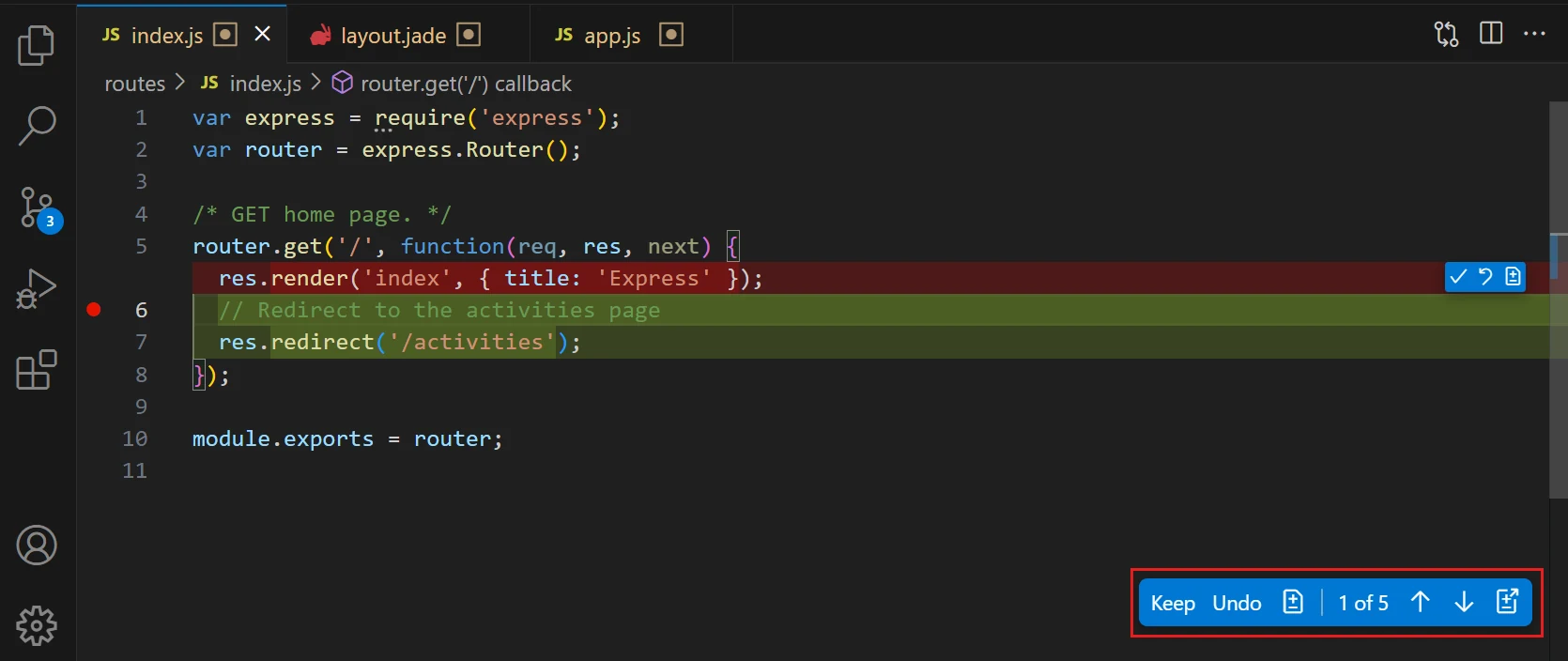
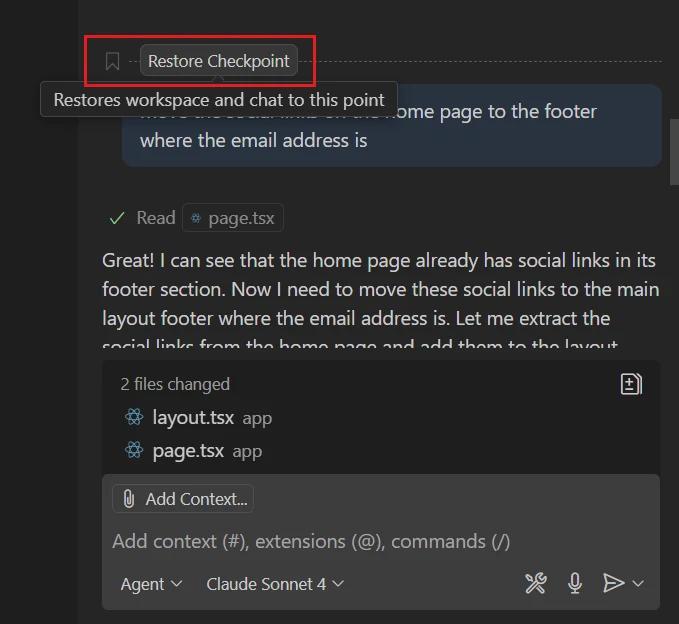
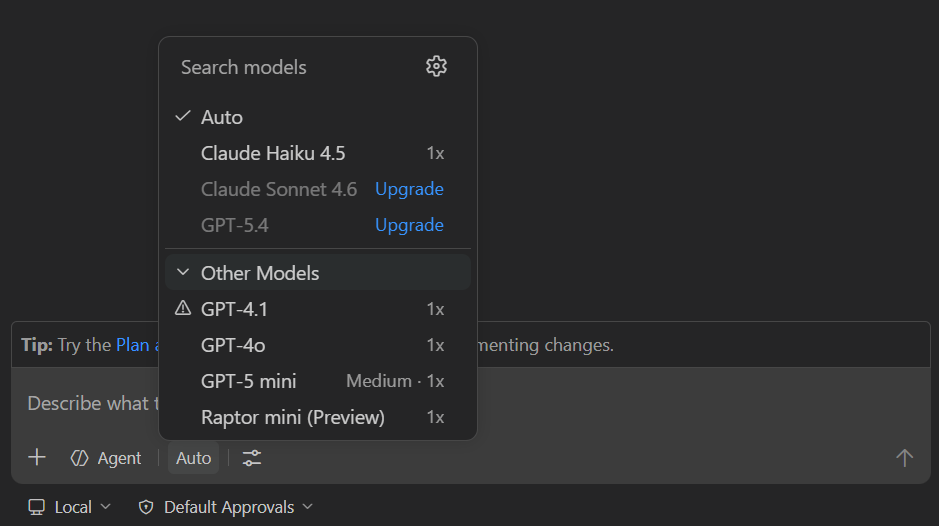
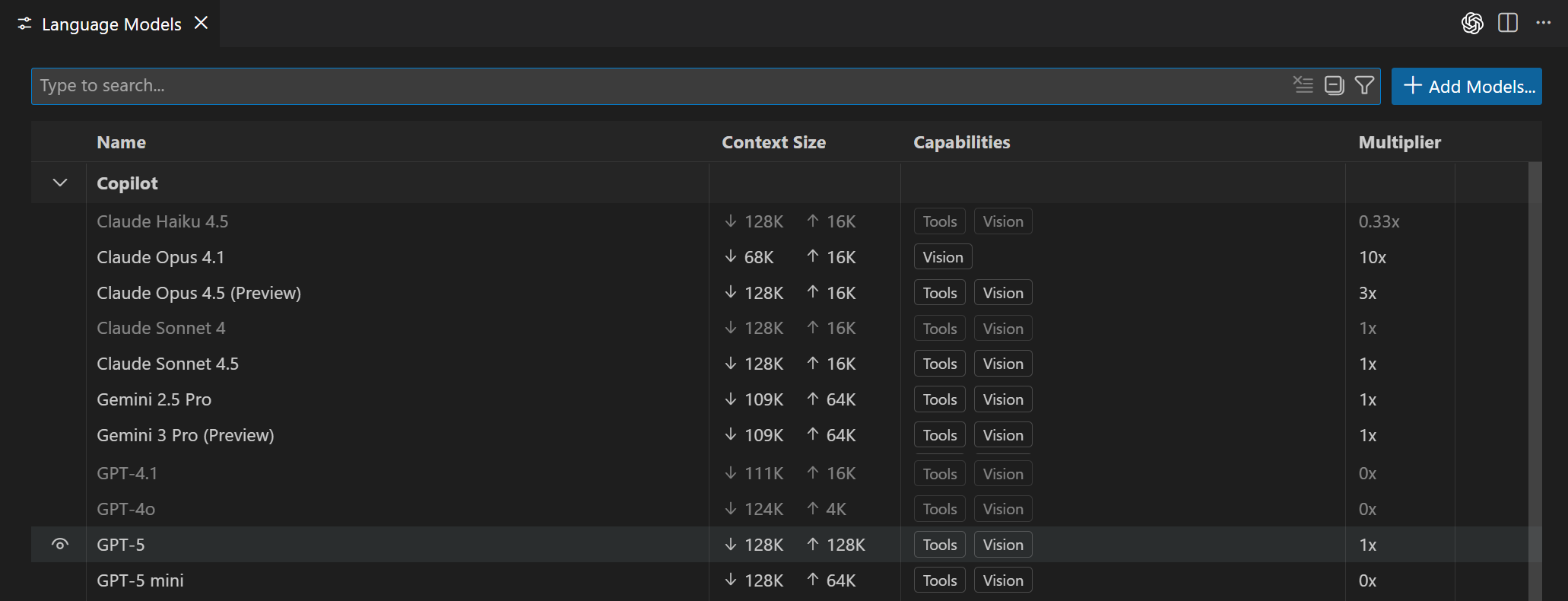
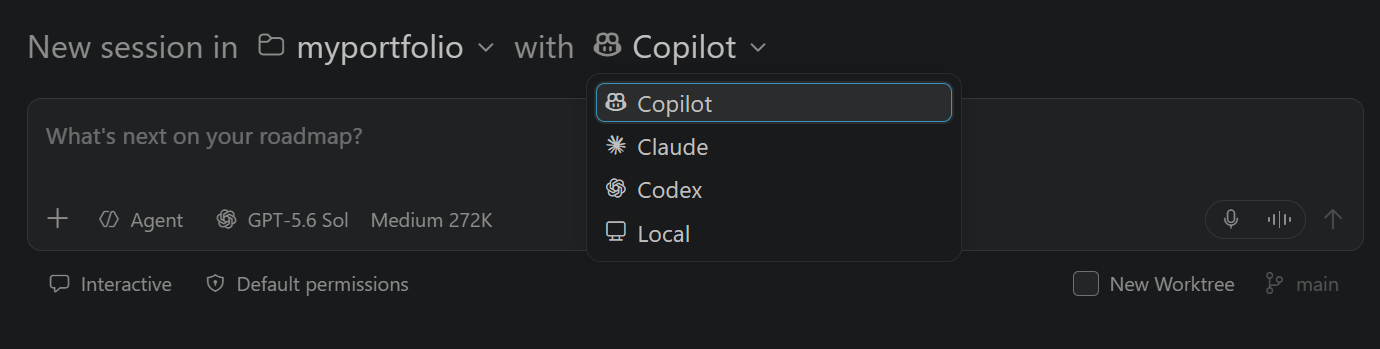
Microsoft’s Visual Studio Code documentation is the source of the following interface images. They depict documentation examples and interfaces at the time of retrieval. The three model and session images were retrieved on 8 October 2026. Product names and interface artwork belong to their respective owners. Images are used here as teaching references; no open reuse licence is claimed.
| Asset | Creator / publisher | Reference |
|---|---|---|
| copilot-signedout-sign-in.webp | Microsoft / Visual Studio Code documentation | Source page |
| chat-view-expanded.webp | Microsoft / Visual Studio Code documentation | Source page |
| inline-chat-control.webp | Microsoft / Visual Studio Code documentation | Source page |
| copilot-edits-changed-files-full.webp | Microsoft / Visual Studio Code documentation | Source page |
| copilot-edits-file-review-controls.webp | Microsoft / Visual Studio Code documentation | Source page |
| chat-restore-checkpoint.webp | Microsoft / Visual Studio Code documentation | Source page |
| model-picker.png | Microsoft / Visual Studio Code documentation | Source page |
| language-models.png | Microsoft / Visual Studio Code documentation | Source page |
| session-target.png | Microsoft / Visual Studio Code documentation | Source page |
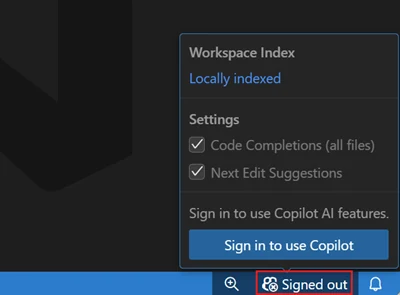
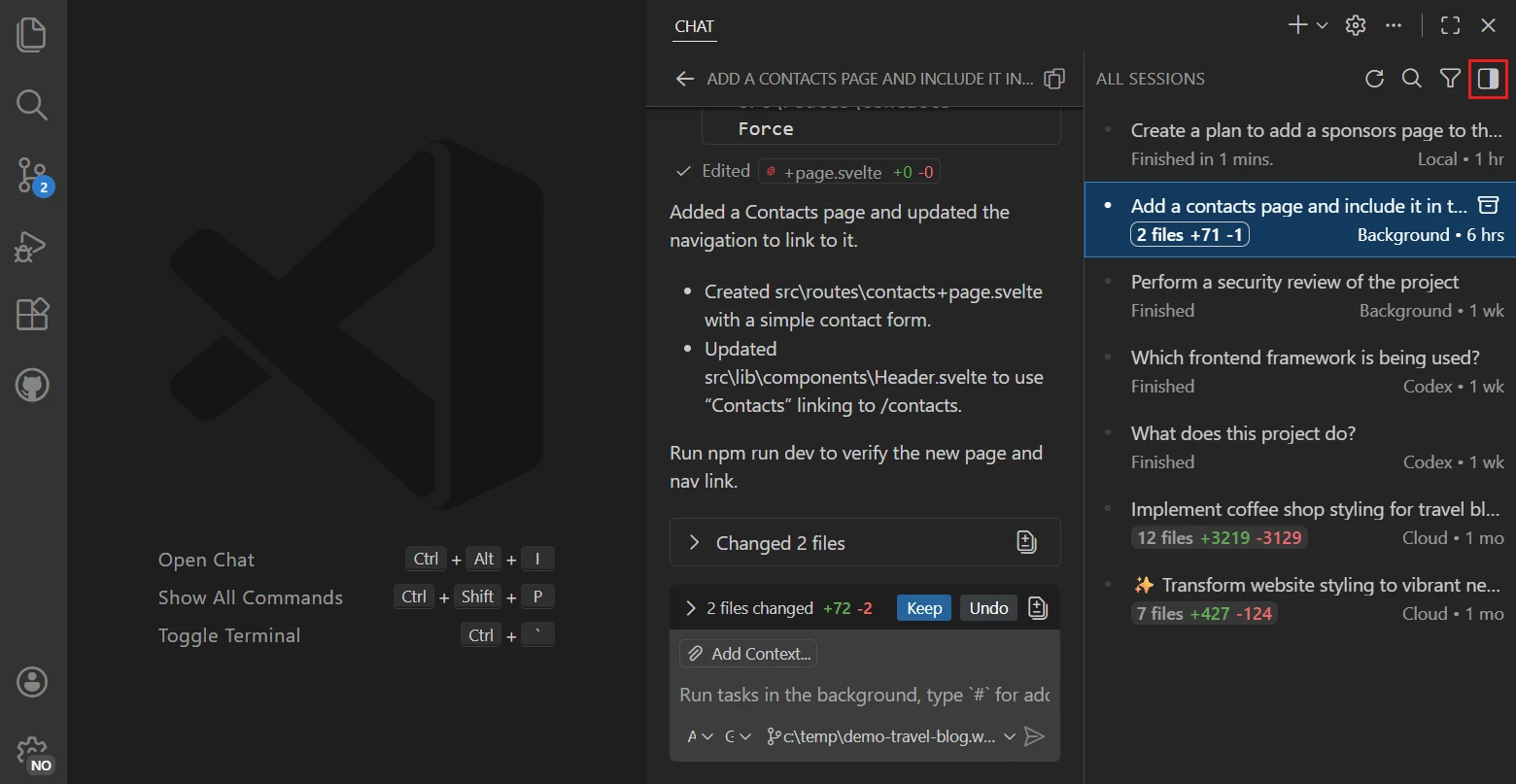
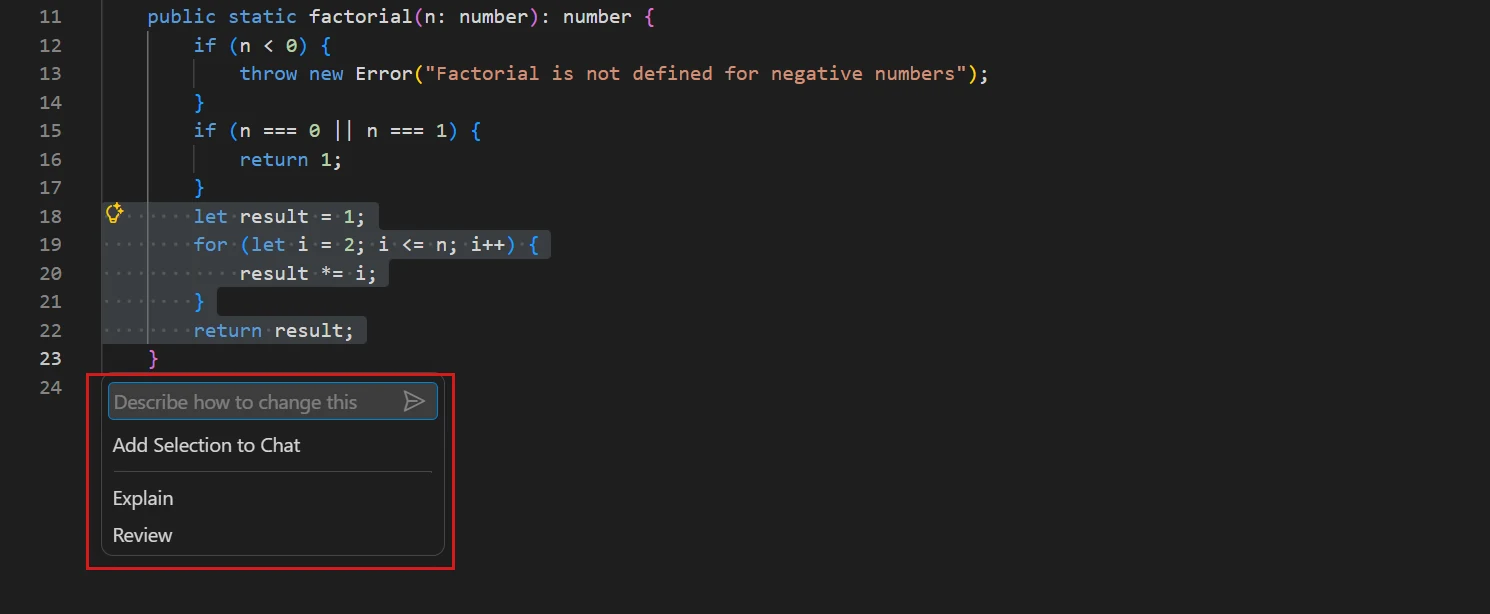
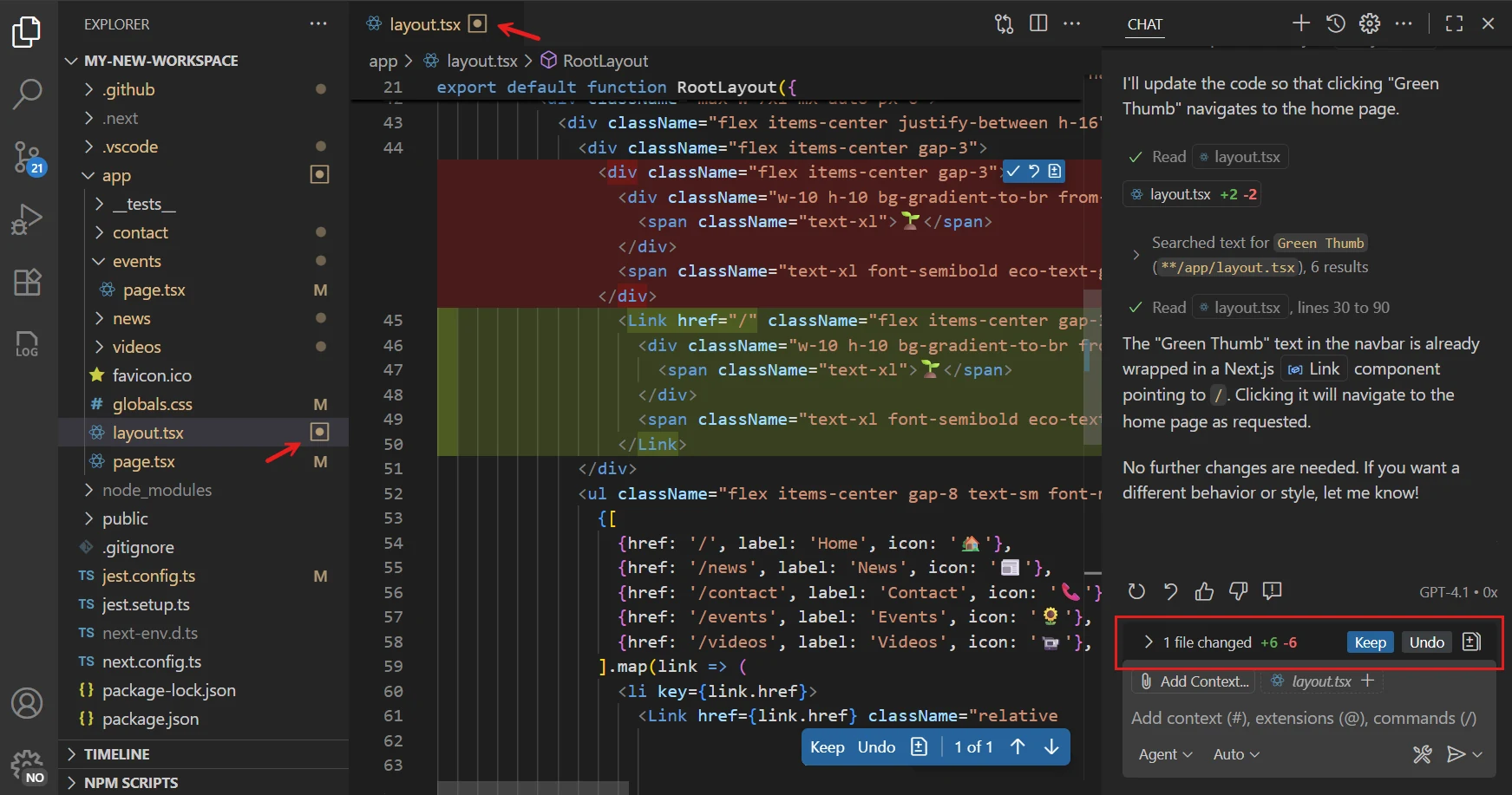
03 / Turing, illustration and audio
The quotation is the closing sentence of Alan M. Turing’s Computing Machinery and Intelligence, Mind, volume 59, issue 236 (1950), pages 433-460. Read the paper.
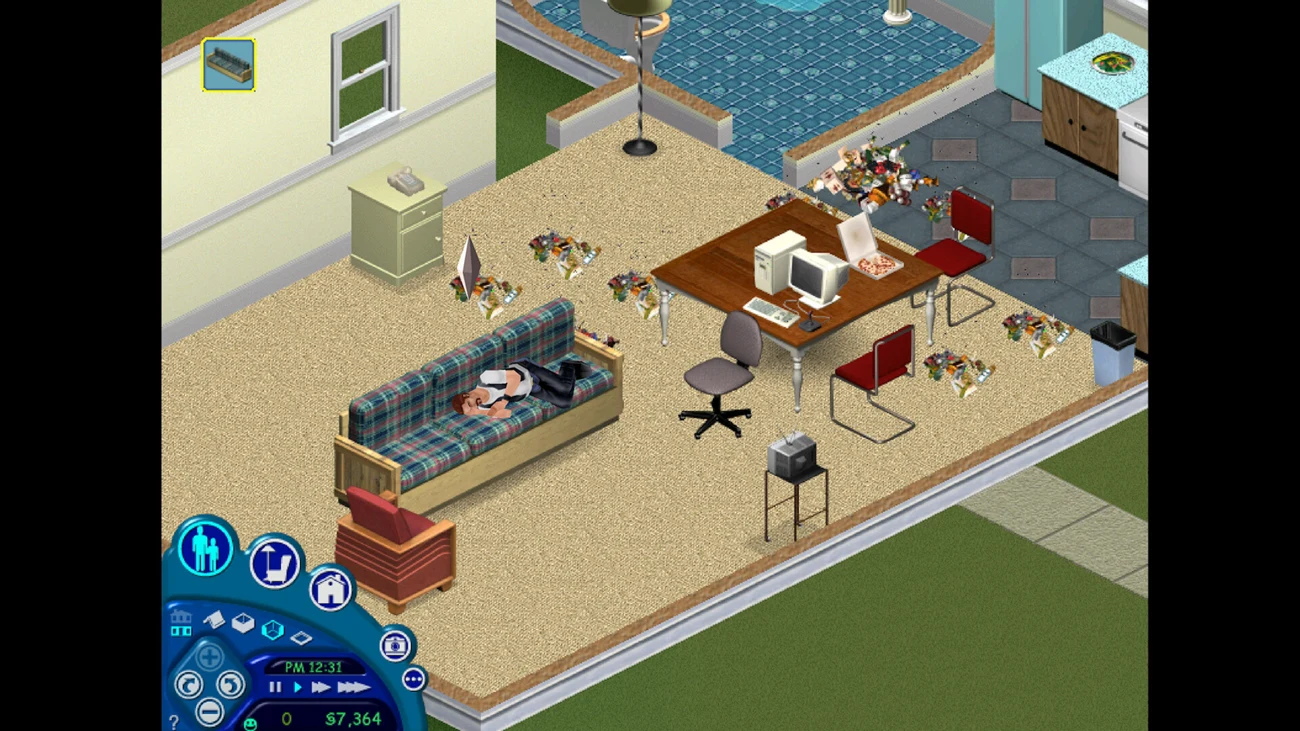
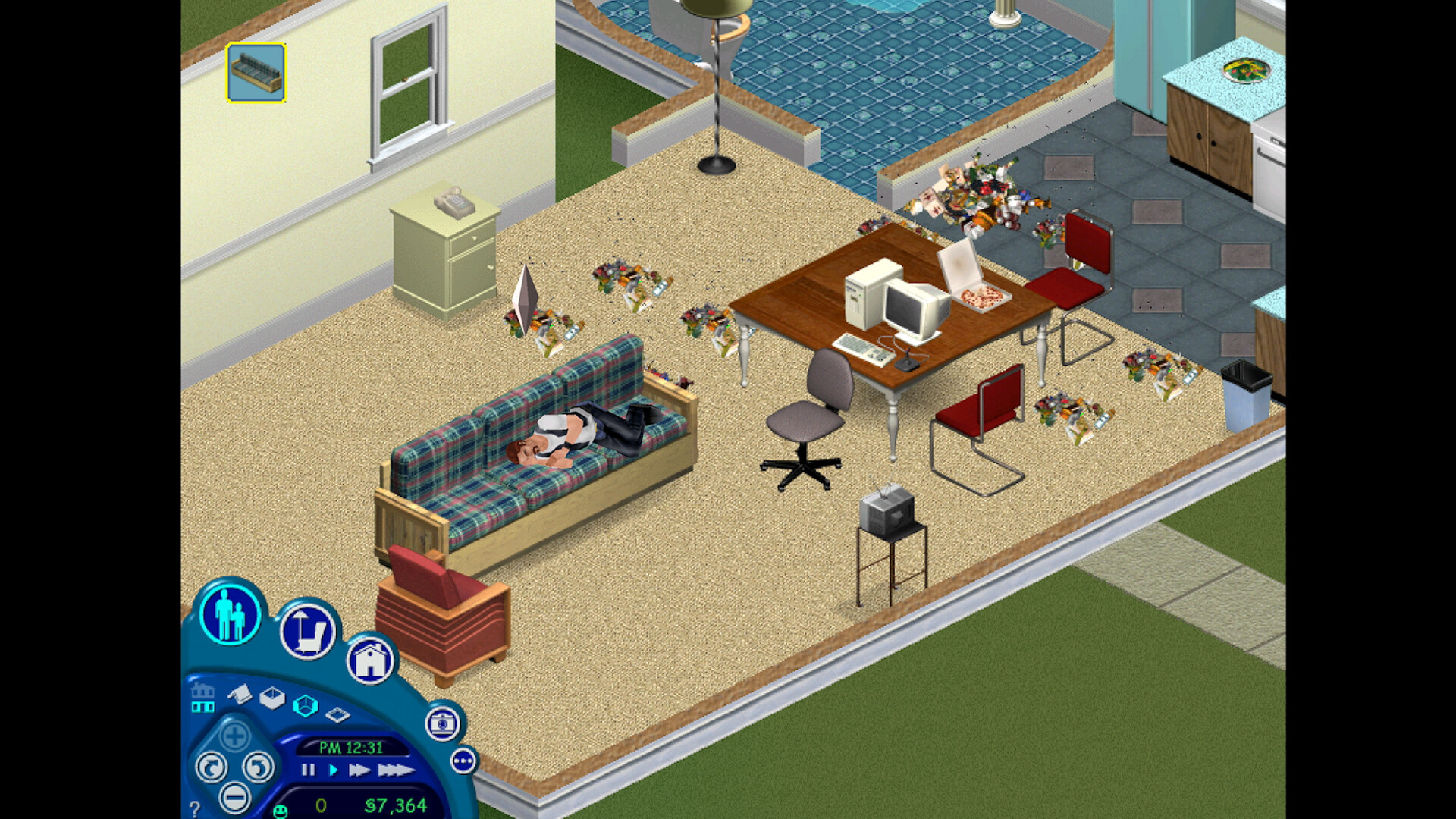
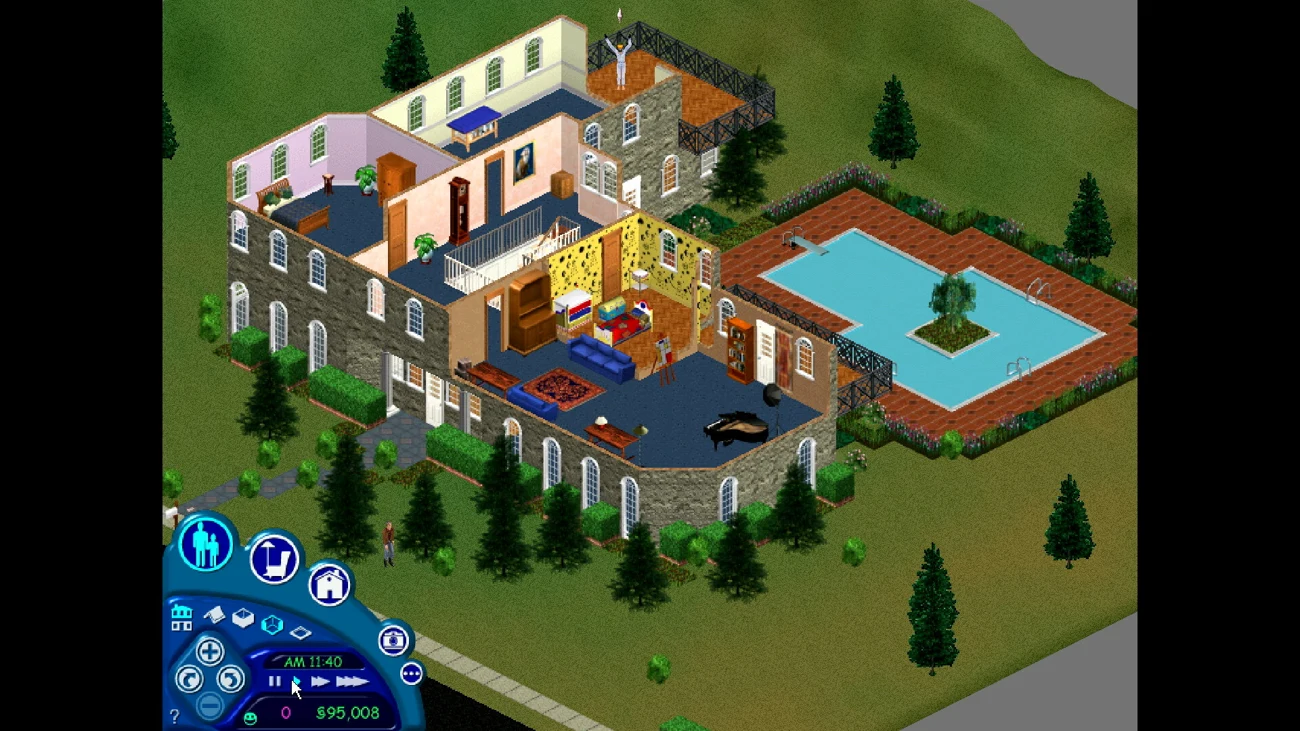
The cartoon scientist, pinecone SVG, mission instruments and canvas game are original lab illustrations and interactions created with AI coding assistance. The scientist is an imaginative portrayal of Turing, not an archival image. The Sims comparison uses actual published game images. The three images are thematic references, not before-and-after views of one house. The room commentary is original teaching narration, not quotations from EA or the pictured players.
Quote playback uses the visitor’s device speech synthesis. It is modern synthetic narration, not Turing’s recorded voice. Andrew Hodges’s Turing biography site notes that no recording of his voice is known. The linked 1951 computer-music restoration is documented by the British Library; it is not embedded or presented as Turing speaking. The mission instruments, robot, orbit scene, steam room, code engine and greenhouse are original SVG graphics created with AI coding assistance. Optional discoveries and XP belong only to the extra level. Lab sound effects are generated by the site’s Web Audio code.
04 / The original Sims: images and story
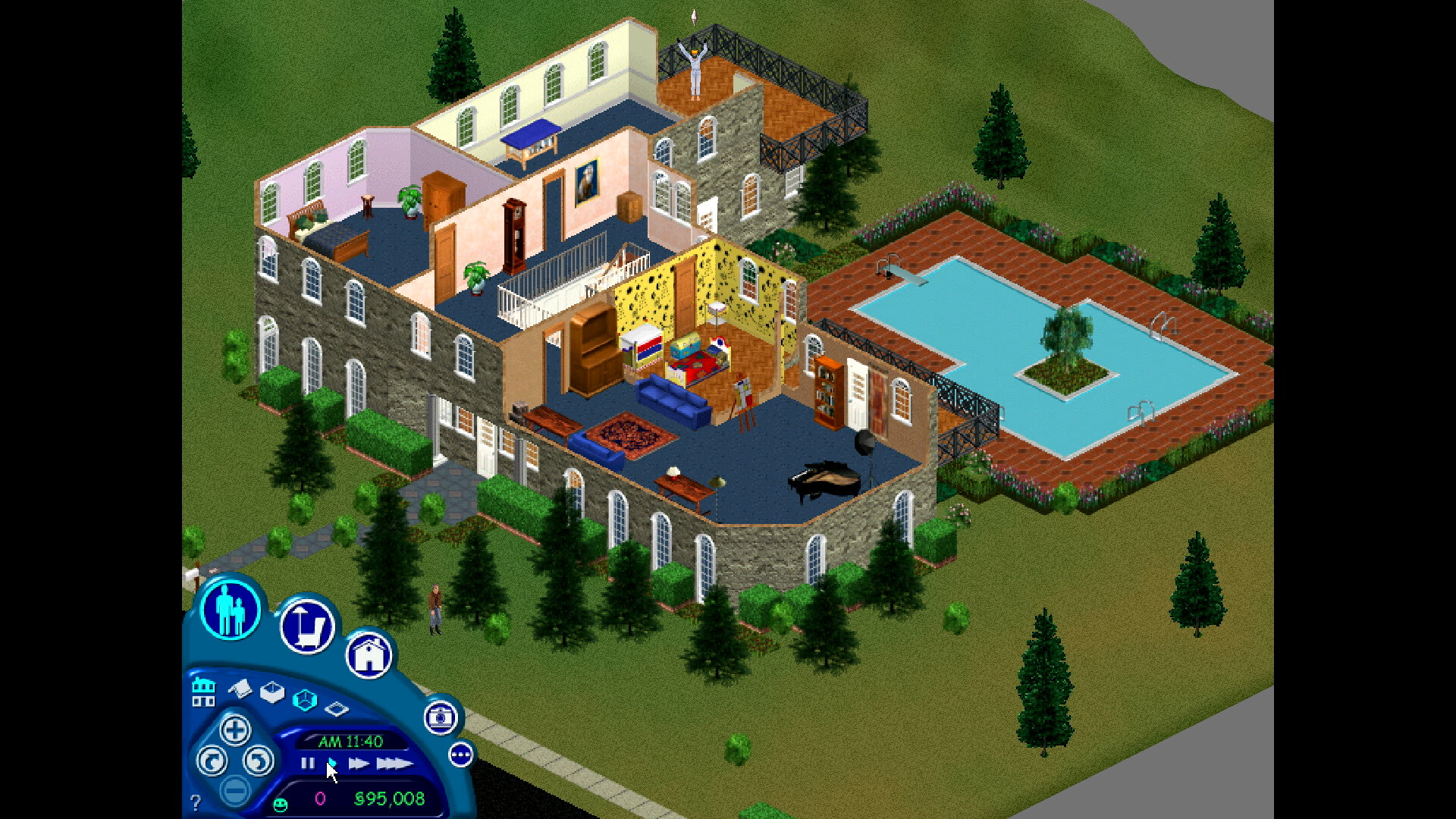
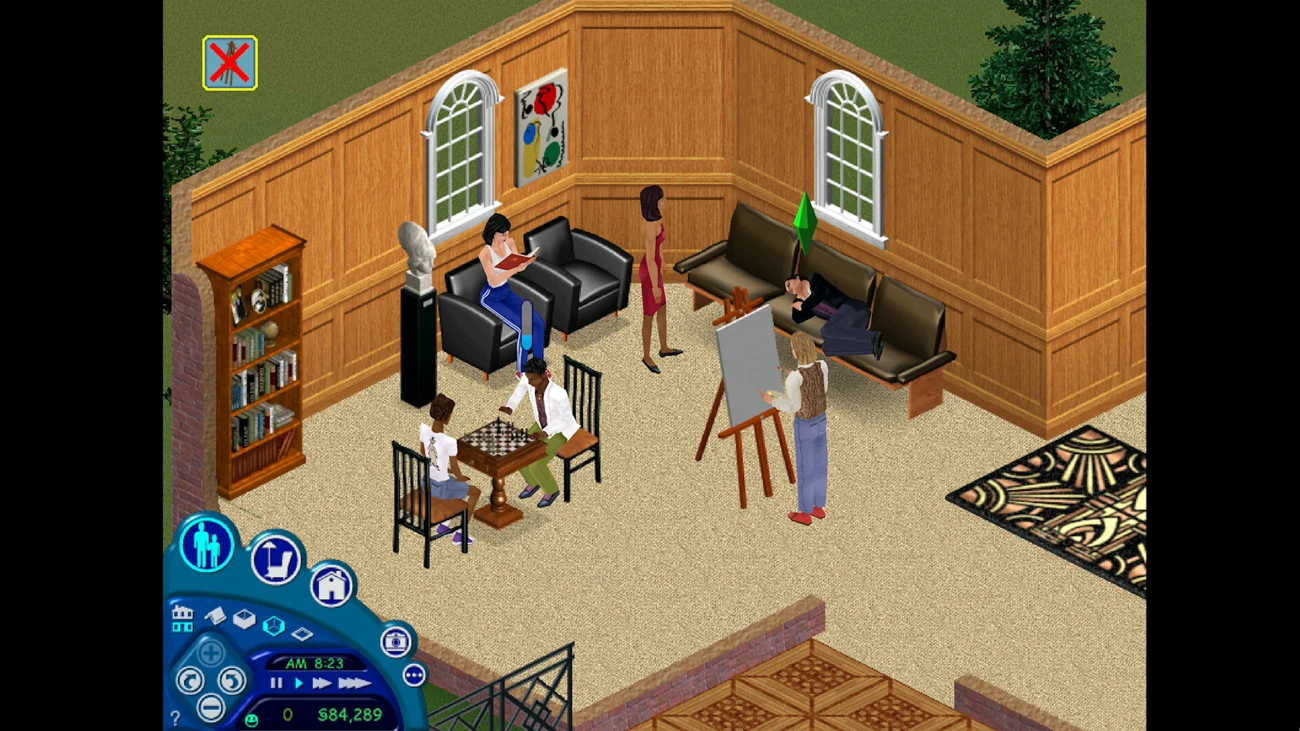
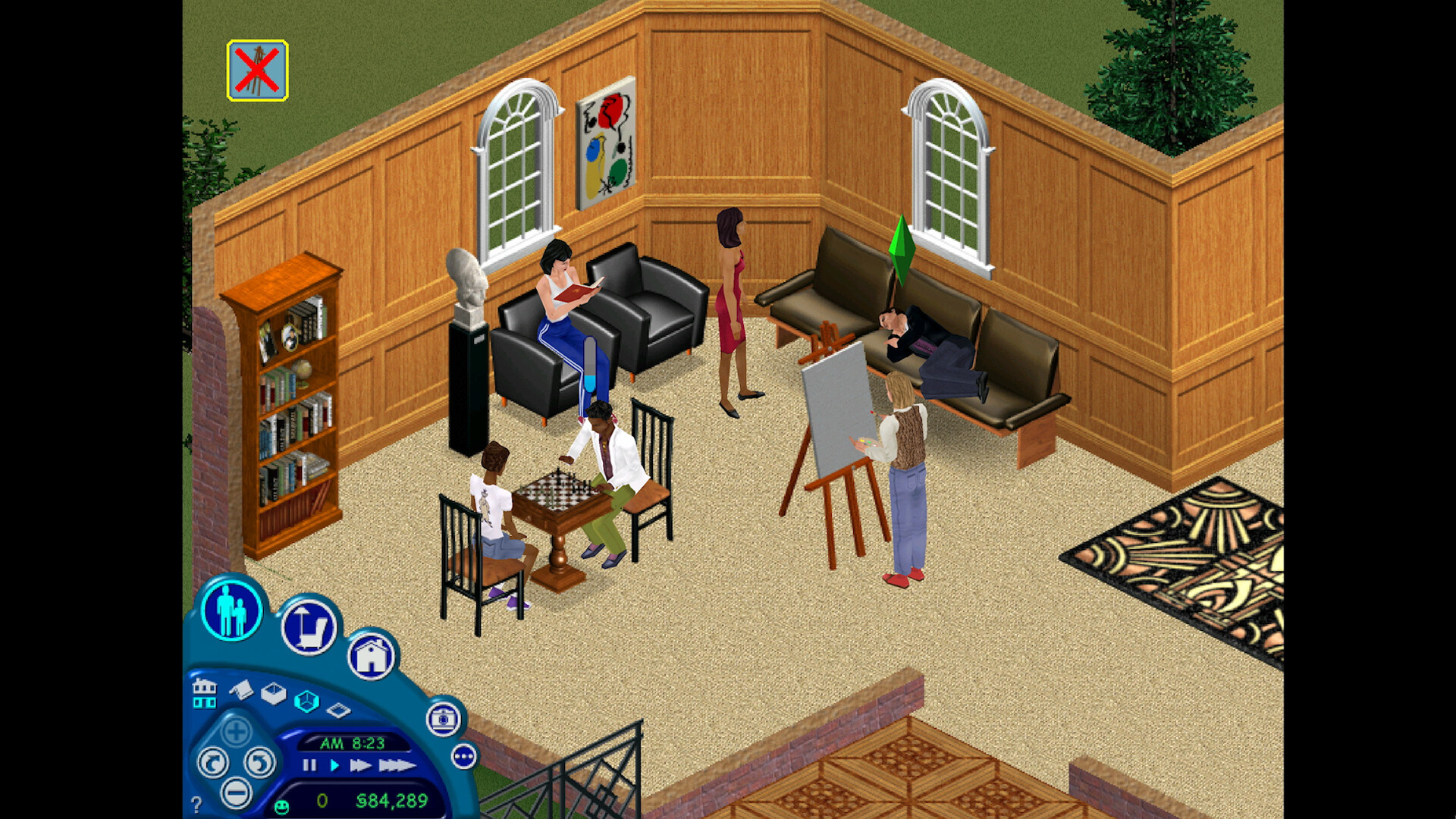
All three room images show the original The Sims, published by Electronic Arts in its Legacy Collection Steam listing. Retrieved 8 October 2026; resized and encoded as WebP. Copyright and trademarks remain with Maxis / EA. These are thematic examples, not a documented before-and-after sequence. The dialogue is original teaching narration and does not describe these screenshots as AI-generated.
| sims1-3.webp | Maxis / Electronic Arts | The Sims Legacy Collection, official publisher listing · Original screenshot |
| sims1-0.webp | Maxis / Electronic Arts | The Sims Legacy Collection, official publisher listing · Original screenshot |
| sims1-4.webp | Maxis / Electronic Arts | The Sims Legacy Collection, official publisher listing · Original screenshot |
05 / Tool guidance
- VS Code: model selection, visibility and provider keys
- VS Code: Copilot, Claude and Codex session targets
- OpenAI: Codex in the editor
Models, targets and sign-in choices depend on the installed version, account, plan and organisation settings. GPT models offered through Copilot and ChatGPT-backed Codex sessions are distinct routes.
06 / Other image assets on the programme page

07 / Teaching references and linked resources
This register gathers the external resources linked from the programme. A link is a teaching reference, not a claim that the lab owns that material.
- Search UiB Oria ↗
- Official source ↗
- Chrome: inspect a real element ↗
- MDN: what JavaScript does ↗
- MDN's official CSS walkthrough ↗
- Official source ↗
- Construct 3
- The real Construct editor ↗
- Official source ↗
- Find more colours: free hex colour picker at htmlcolorcodes.com
- “Construct 3 Code and more!” in MittUiB
- Files in MittUiB
- Explore real 1951 computer music from Turing’s laboratory ↗
- Chicago author-date examples ↗
- Official Chicago author-date examples ↗
- Platform movement, if relevant to your project ↗
- Solid behaviour ↗
- Construct: publishing and export ↗
- Official source ↗
- No recording of his voice is known to survive.
- Hex colours ↗
- Colour picker ↗
- CSS colours ↗
- Selectors ↗
- CSS syntax ↗
- CSS tutorial ↗
- Computing Machinery and Intelligence
- Official source ↗
- UiB Arts and Humanities Library ↗
08 / Lab assistant: What the Roots Keep
Ingrid Ormevik, What the Roots Keep, electronic literature. The project description and playable link come from the artist’s published itch.io page. Listed on the Lab assistant page. HAGEN has been removed from that selected-works listing while it is in progress.
09 / Lab 2 equipment wing
The event circuit, selector scanner, state switch, timer relay, bug repair console and responsive sample are original interactive teaching tools built with AI coding assistance. Illustrations are original inline SVG. Calibration records activity in these samples only; it does not assess the student’s project or alter course milestones.
10 / Whole-lab source index
All lab HTML guides, linked media and source URLs in shared scripts and styles. The named credits above identify the origins of borrowed images and quotations.
External references (112)
Local media assets (61)
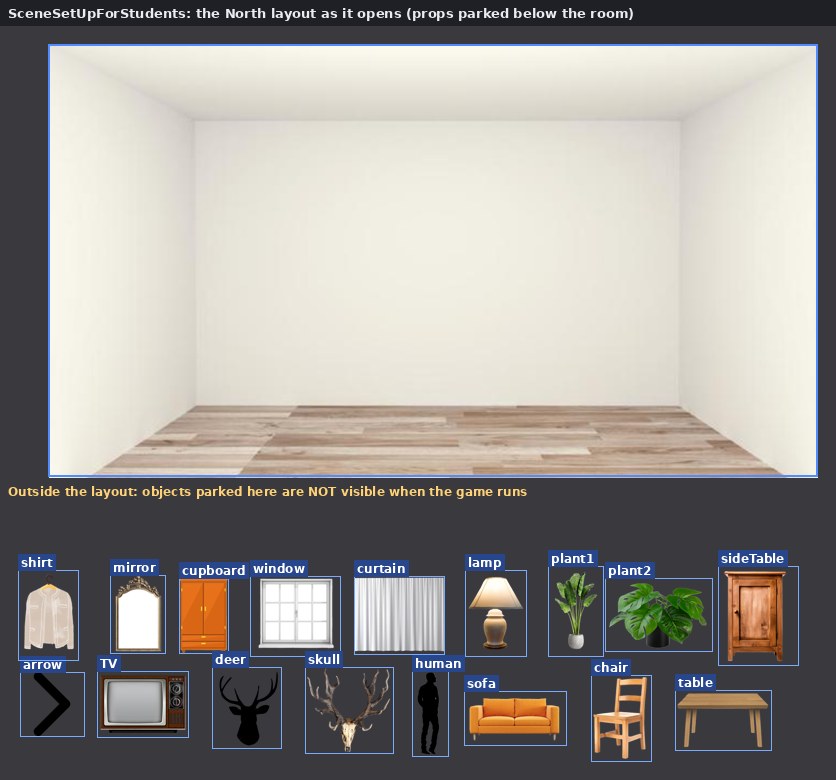
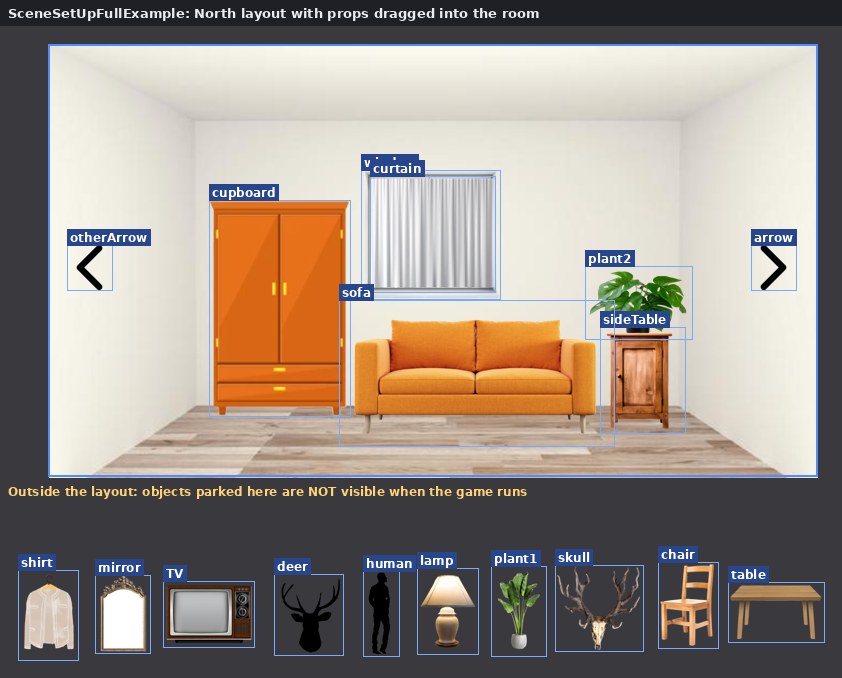
| construct-templates/01-scene-students-layout.jpg | The North layout as it opens: 17 props parked below the room. | construct-templates.html |
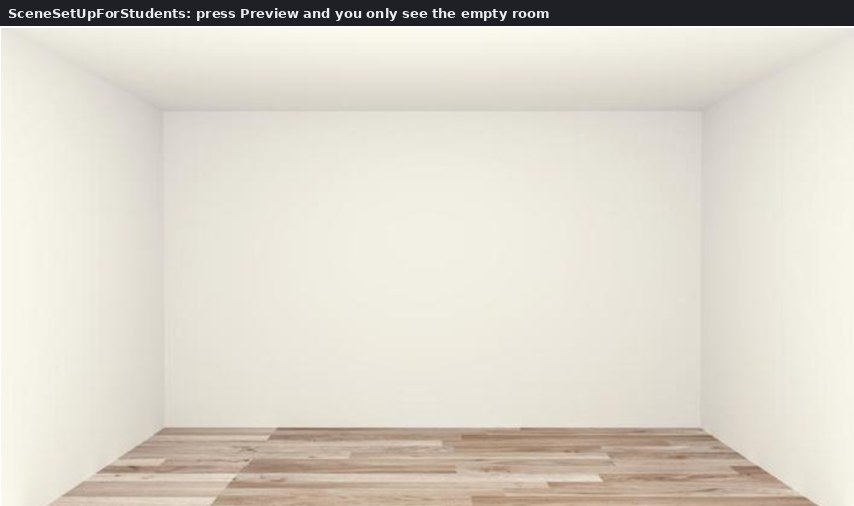
| construct-templates/02-scene-students-running.jpg | Press Preview and you only see the empty room. | construct-templates.html |
| construct-templates/03-full-north-layout.jpg | North with the props placed and two arrows. | construct-templates.html |
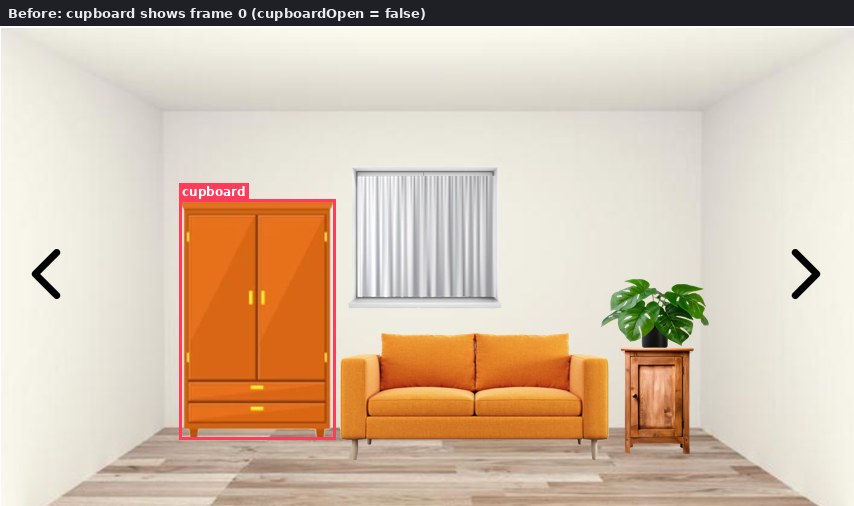
| construct-templates/04-full-cupboard-before.jpg | Before: cupboard closed (cupboardOpen = false). | construct-templates.html |
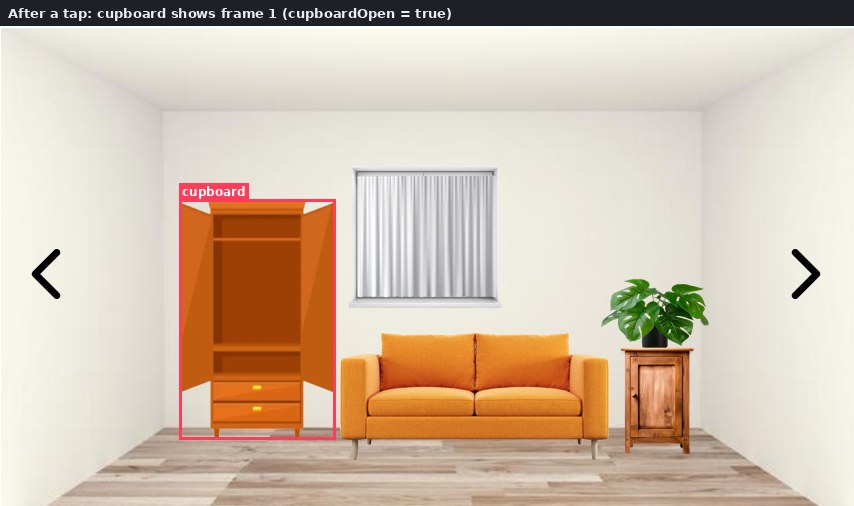
| construct-templates/05-full-cupboard-after.jpg | After one tap: frame 1, the open cupboard. | construct-templates.html |
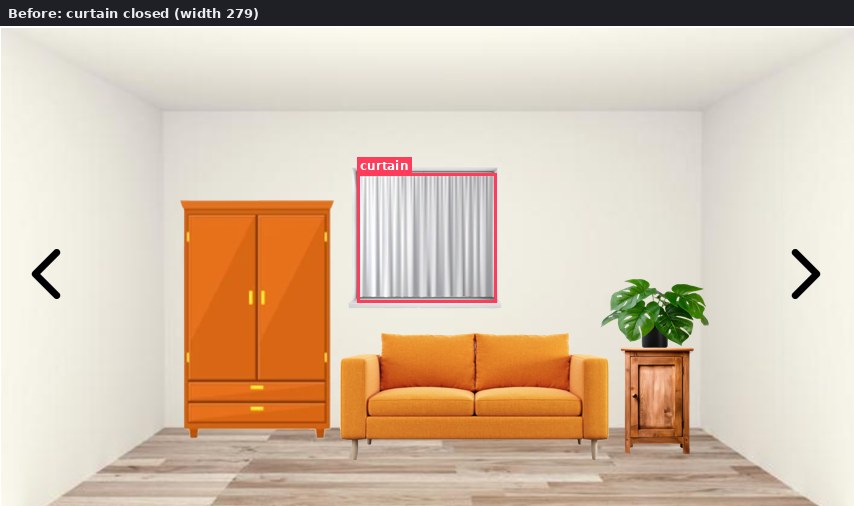
| construct-templates/06-full-curtain-before.jpg | Before: curtain closed. | construct-templates.html |
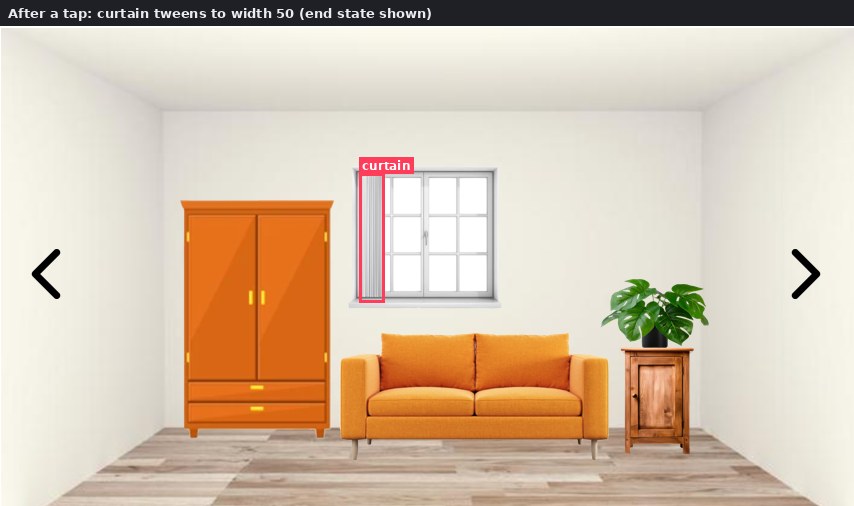
| construct-templates/07-full-curtain-after.jpg | After a tap: the curtain tweens aside with a bounce. | construct-templates.html |
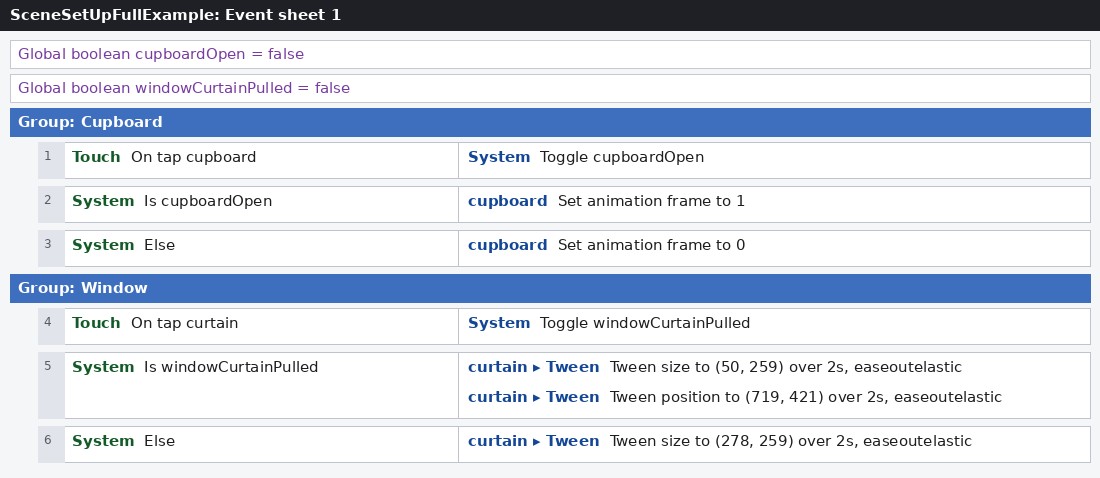
| construct-templates/08-full-eventsheet.jpg | Event sheet 1, as in the file. | construct-templates.html |
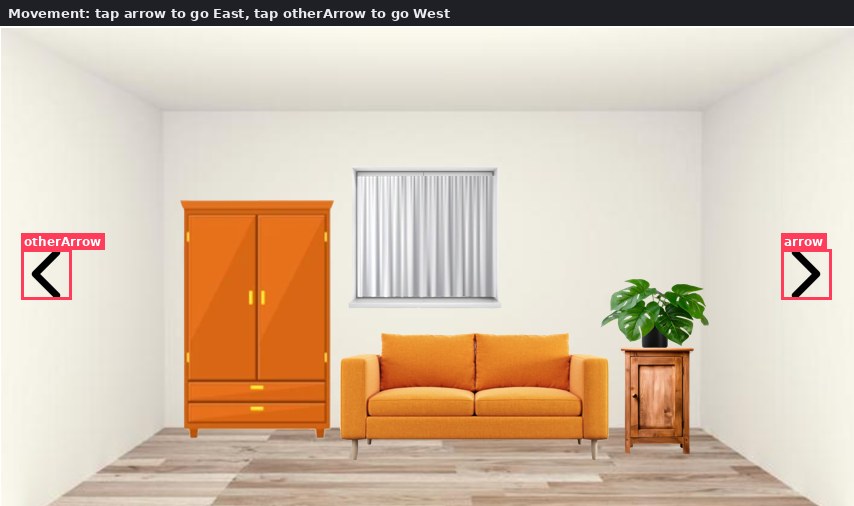
| construct-templates/09-move-north-arrows.jpg | Tap the right arrow to go East, the left arrow to go West. | construct-templates.html |
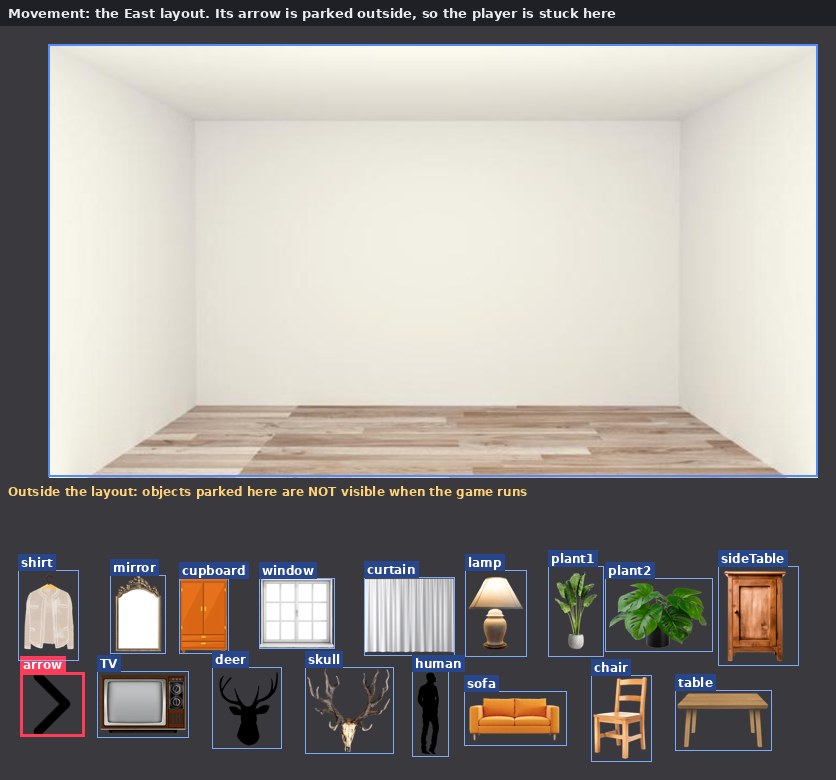
| construct-templates/10-move-east-layout.jpg | The East layout: its arrow is still parked outside, so the player is stuck. | construct-templates.html |
| construct-templates/11-move-eventsheet-new.jpg | The two new events. | construct-templates.html |
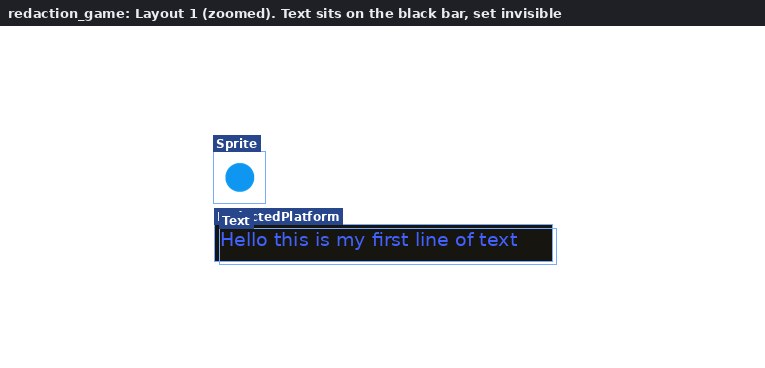
| construct-templates/12-redaction-layout.jpg | Layout 1 zoomed in: the text sits on the black bar, invisible. | construct-templates.html |
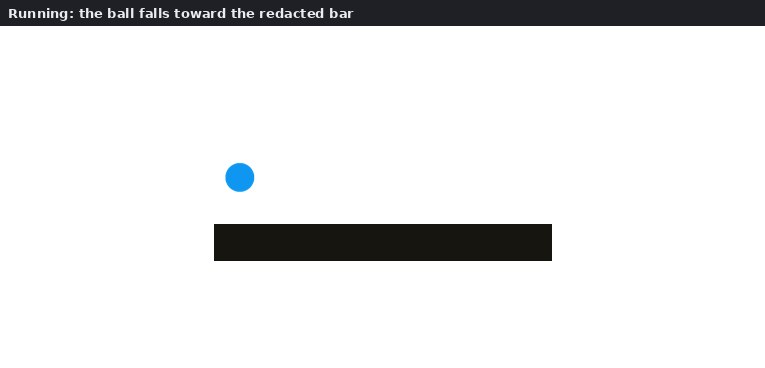
| construct-templates/13-redaction-before.jpg | Running: the ball falls towards the bar. | construct-templates.html |
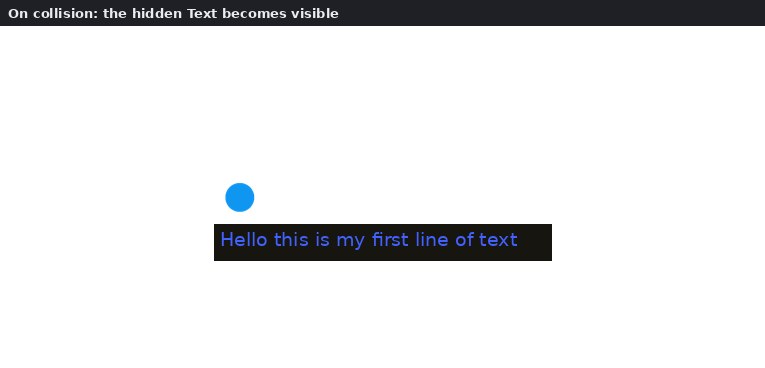
| construct-templates/14-redaction-after.jpg | On collision: the hidden text appears. | construct-templates.html |
| construct-templates/15-redaction-eventsheet.jpg | The whole event sheet: one event. | construct-templates.html |
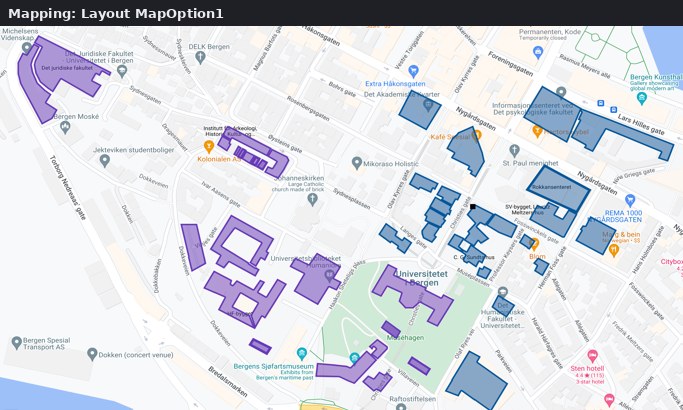
| construct-templates/16-map-option1.jpg | Map option 1: the UiB area. | construct-templates.html |
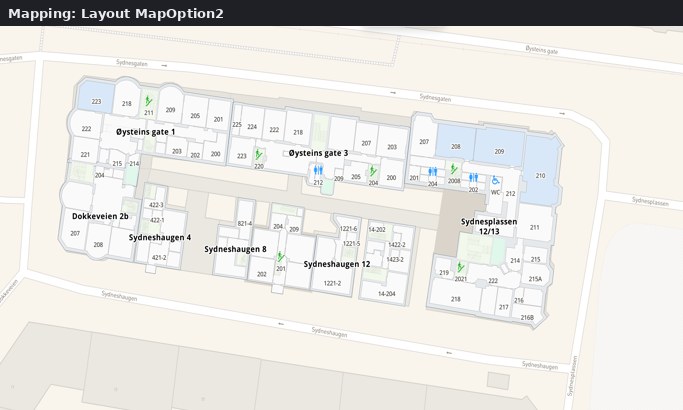
| construct-templates/16-map-option2.jpg | Map option 2. | construct-templates.html |
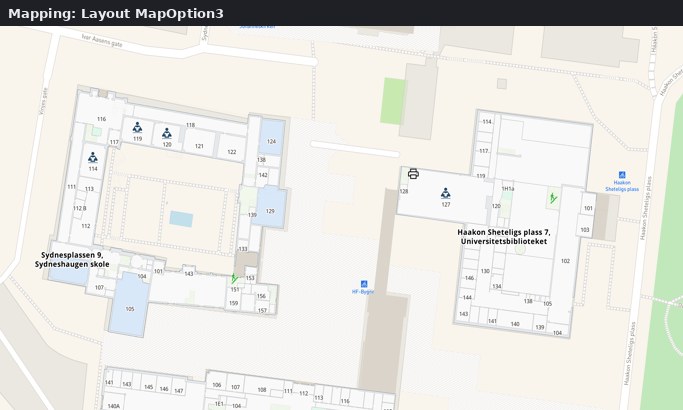
| construct-templates/16-map-option3.jpg | Map option 3: around the University Library. | construct-templates.html |
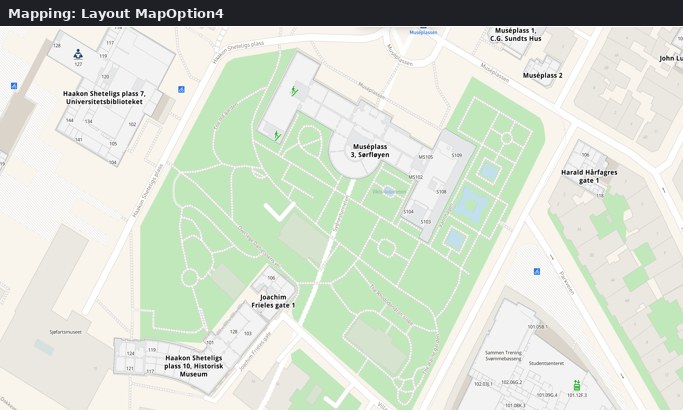
| construct-templates/16-map-option4.jpg | Map option 4: around the Museum garden. | construct-templates.html |
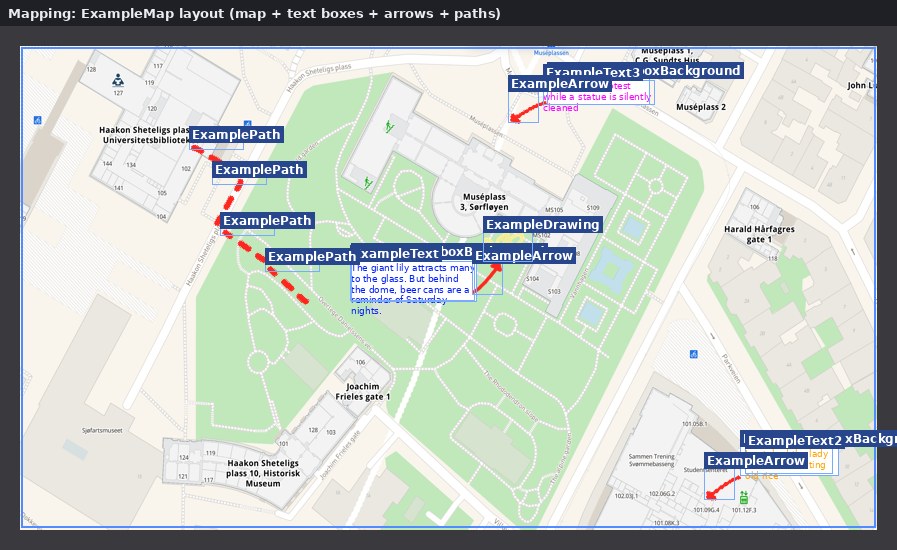
| construct-templates/17-map-example-layout.jpg | The worked example: texts, arrows, a path and a drawing on the map. | construct-templates.html |
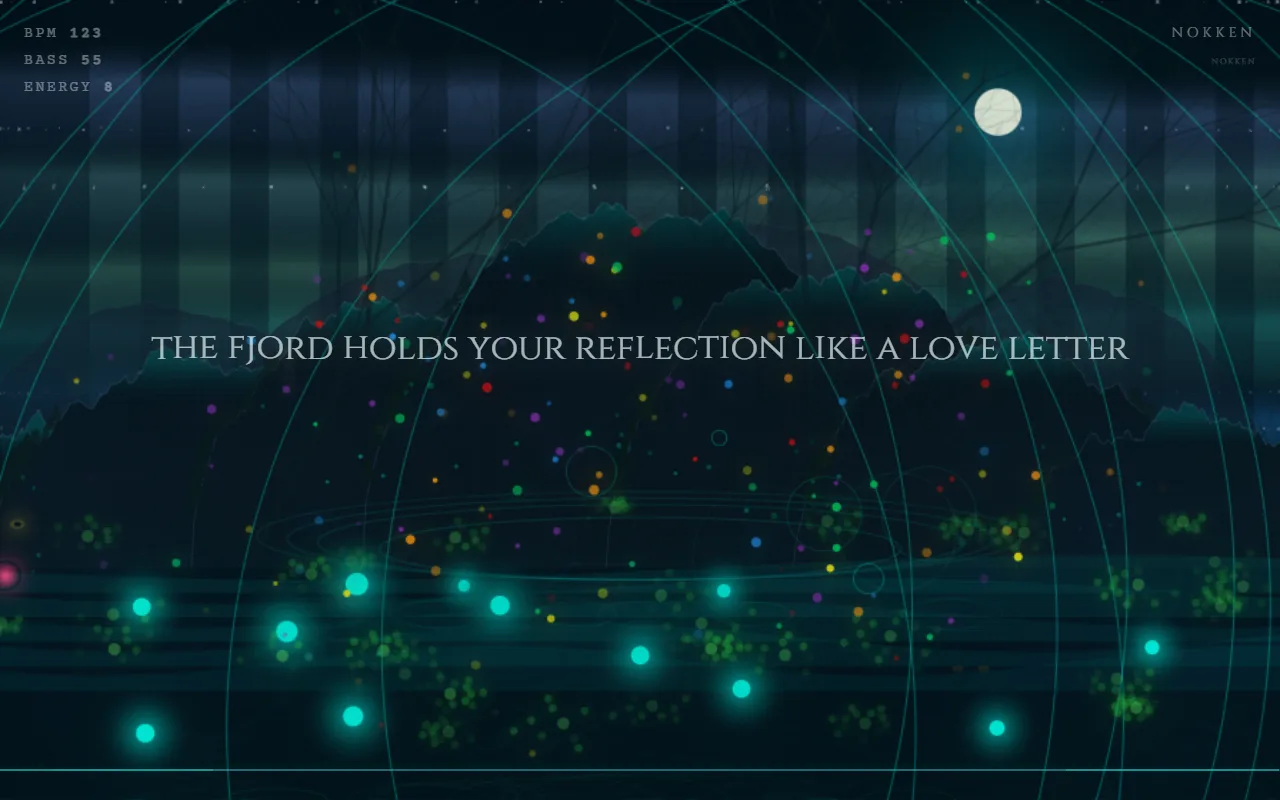
| intro-assets/bergtatt.webp | Bergtatt running: a generative forest at night with glowing lights over water | meet-ingrid.html |
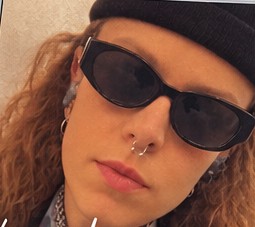
| intro-assets/ingrid-portrait.jpg | Portrait of Ingrid Ormevik | meet-ingrid.html |
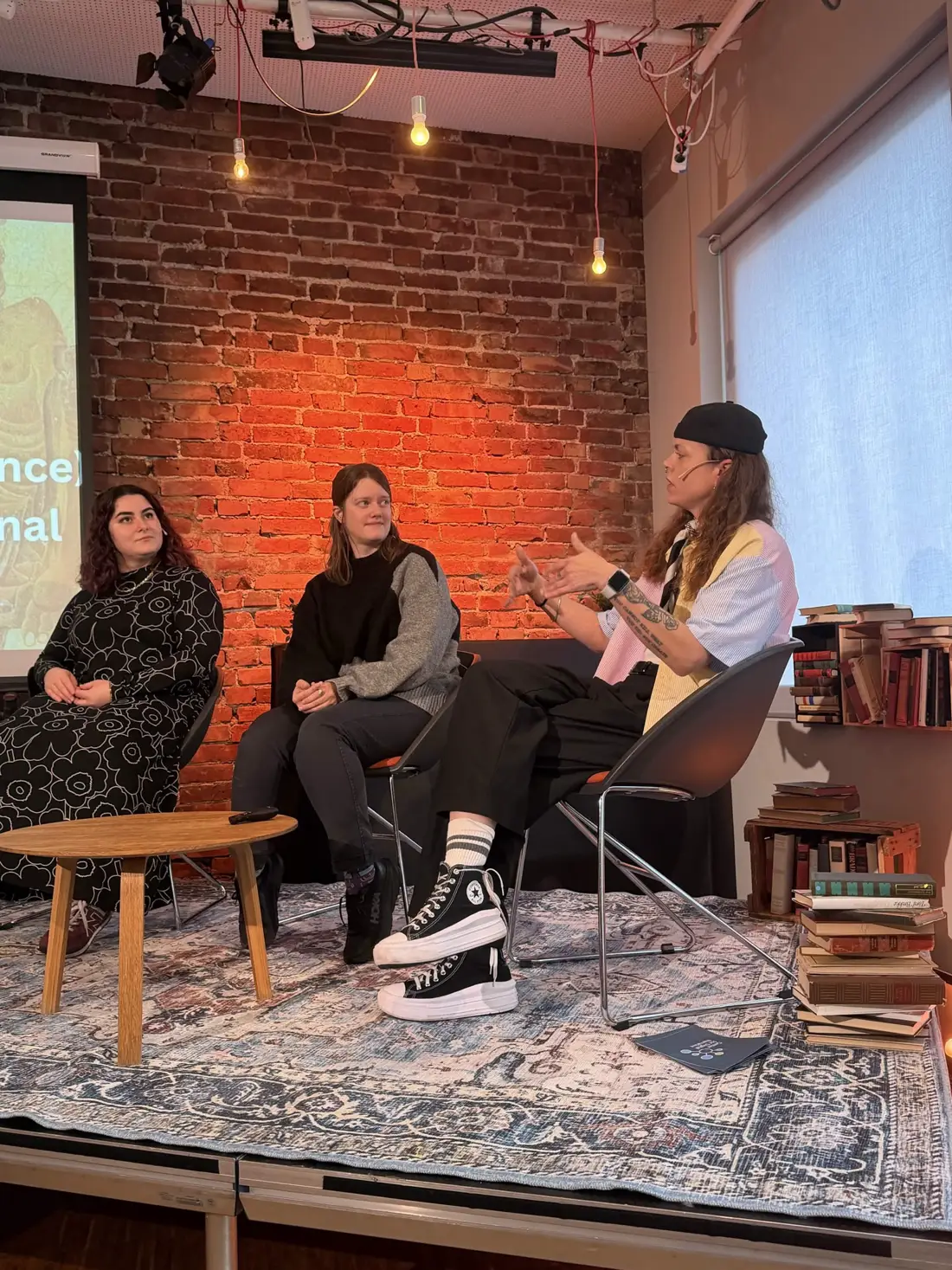
| intro-assets/panel.webp | Three panelists seated in front of a lit brick wall during The Haunting of the Author, Ingrid speaking with her hands | meet-ingrid.html |
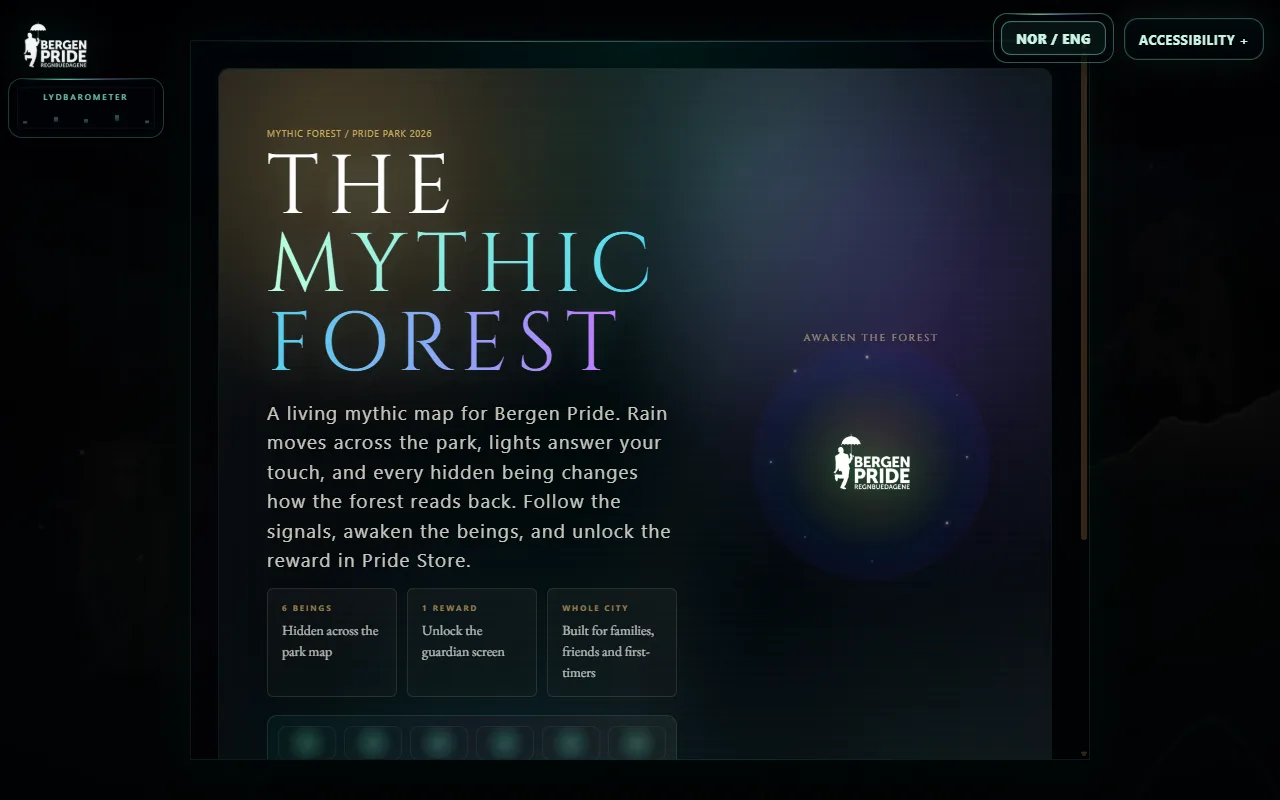
| intro-assets/pride-park.webp | Pride Park 2026 title screen: The Mythic Forest | meet-ingrid.html |
| intro-assets/ramp-poster.svg | intro-assets/ramp-poster.svg | accessibility-lab.html |
| intro-assets/turing.png | The Turing Test: Fragments of a Life Saved by Pixels title screen | meet-ingrid.html |
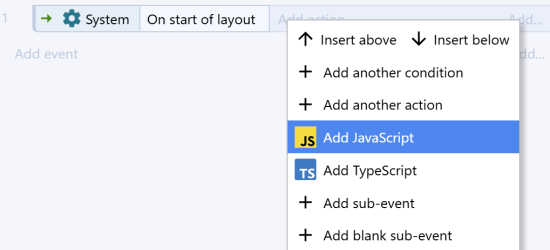
| setup-assets/construct-add-javascript.png | Construct Add menu with Add JavaScript highlighted | javascript-construct.html, lab-programme.html |
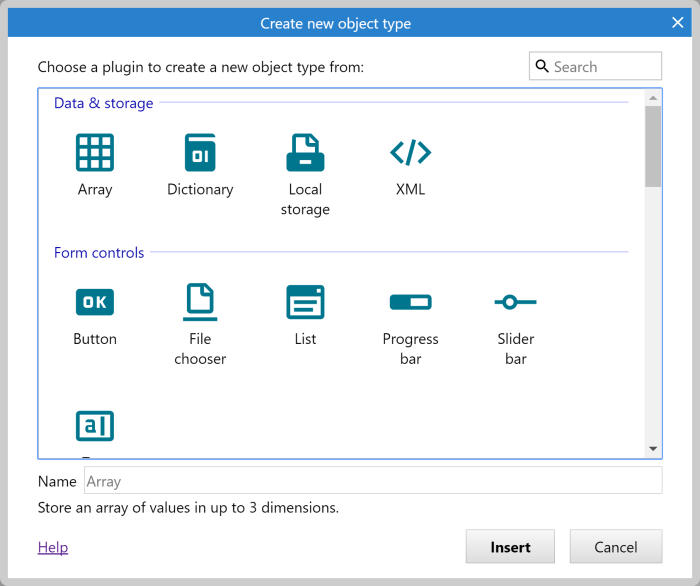
| setup-assets/construct-dialog-163.png | Create new object type dialog with Search at the top right | construct-guide.html, javascript-construct.html |
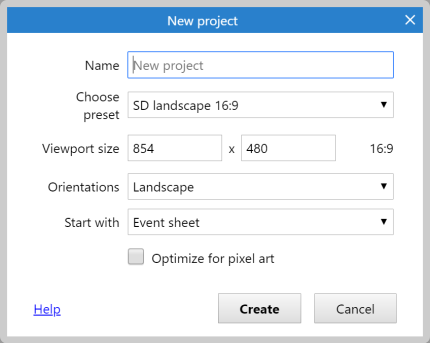
| setup-assets/construct-dialog-187.png | Construct’s New project dialog | construct-guide.html |
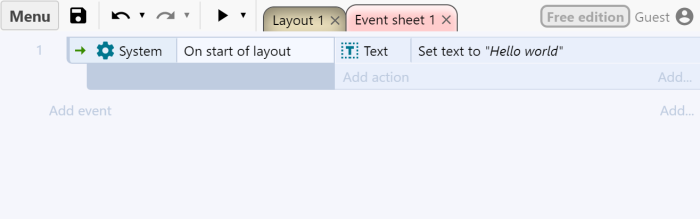
| setup-assets/construct-events.png | Event sheet showing Add event below the list and Add action on the event row | construct-guide.html |
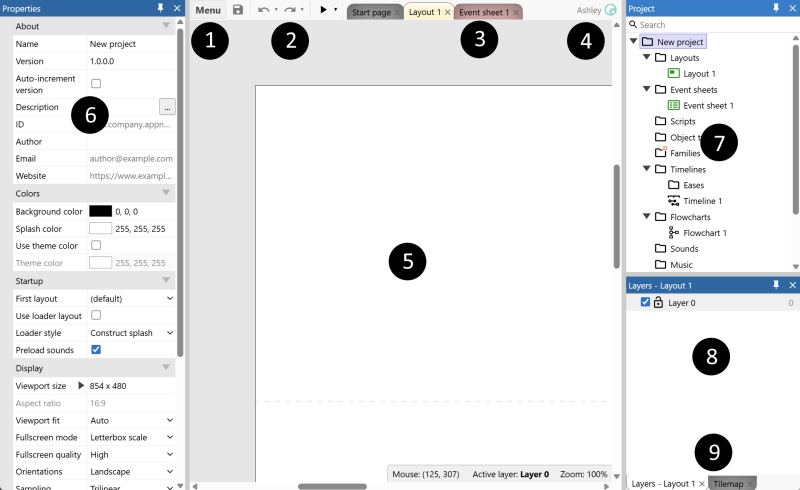
| setup-assets/construct-interface.png | Construct interface with numbered markers from the official manual | construct-guide.html |
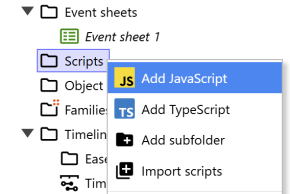
| setup-assets/construct-script-files.png | Construct Scripts folder context menu with Add JavaScript and Import scripts | javascript-construct.html |
| setup-assets/construct-toolbar.png | Construct toolbar with the triangular Preview button | construct-guide.html, javascript-construct.html |
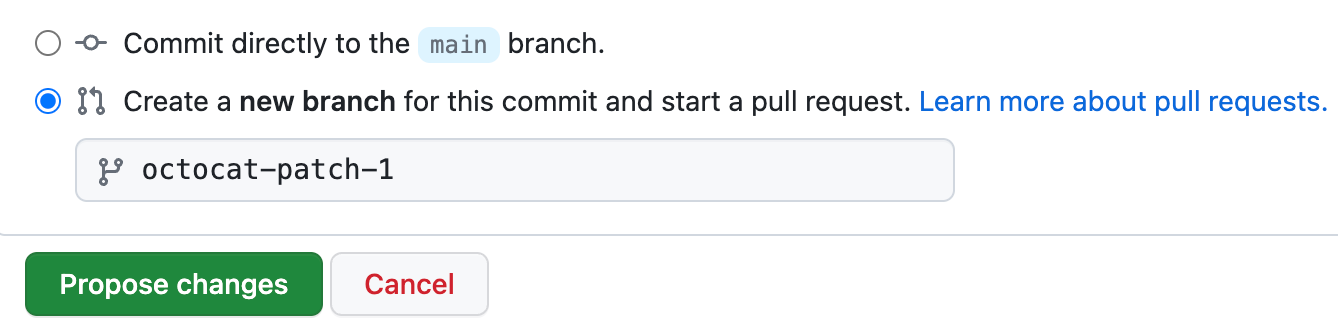
| setup-assets/github-branch.png | GitHub choices for committing to the current branch or a new branch | github-guide.html |
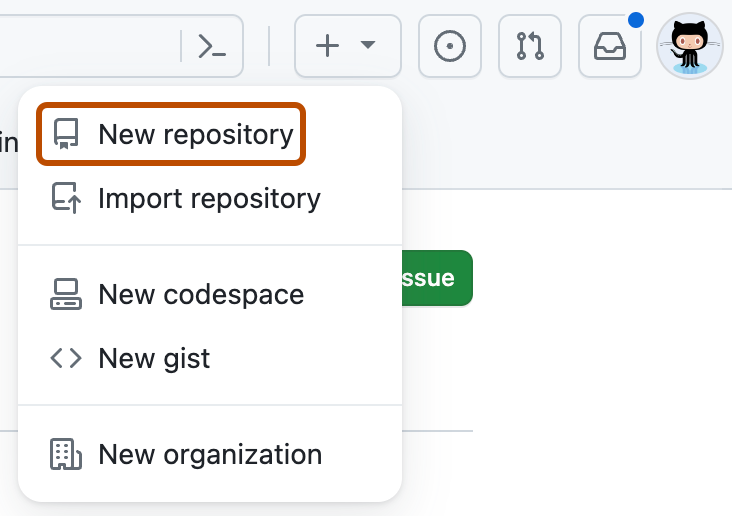
| setup-assets/github-new.png | GitHub’s menu with New repository highlighted | github-guide.html |
| setup-assets/github-pages-folder.png | GitHub Pages publishing folder dropdown highlighted | github-guide.html |
| setup-assets/github-pages.png | GitHub Pages branch dropdown highlighted | github-guide.html, lab-programme.html |
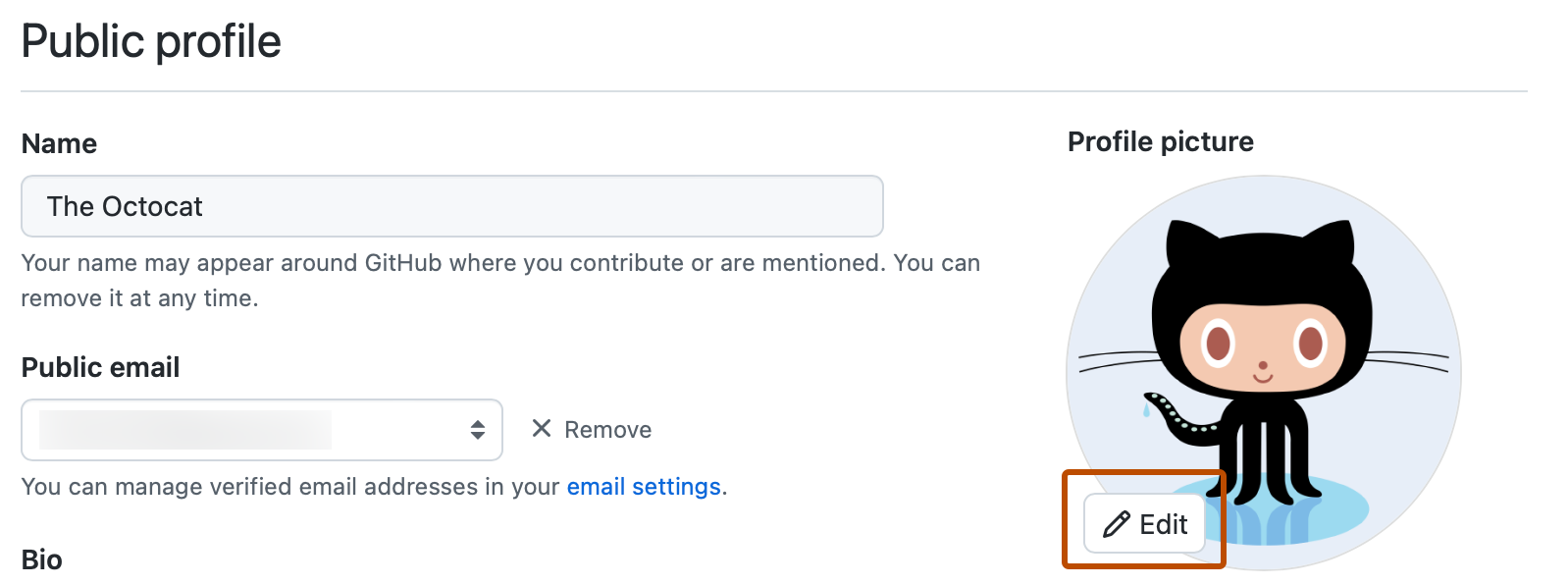
| setup-assets/github-profile-edit.png | GitHub’s official Public profile screenshot showing the Edit button for the profile picture. | github-guide.html |
| setup-assets/github-settings.png | Settings tab highlighted in a GitHub repository | github-guide.html |
| setup-assets/github-upload.png | GitHub repository with Add file highlighted | github-guide.html |
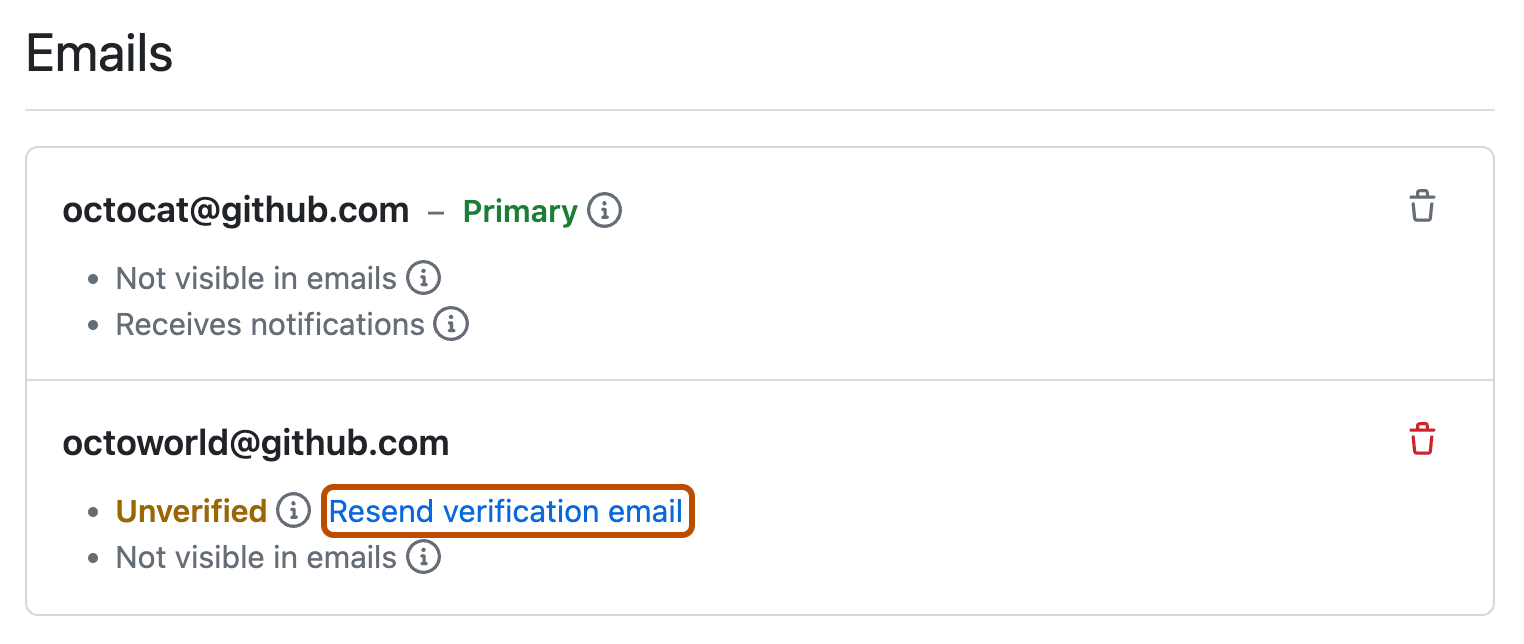
| setup-assets/github-verify-email.png | GitHub’s official screenshot of Emails settings, with Resend verification email outlined. | github-guide.html |
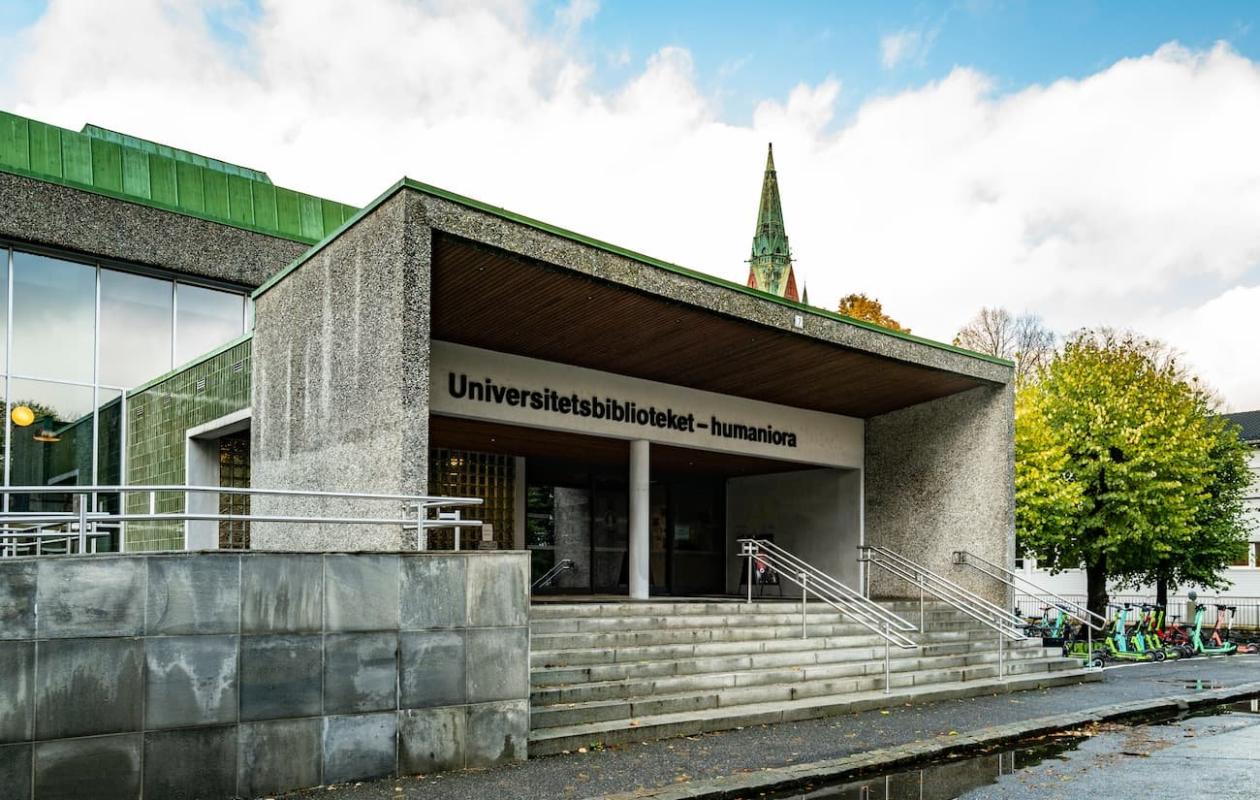
| setup-assets/library-entrance.jpg | Arts and Humanities Library. Photo: Edith Johanne Johansen, UB | lab-programme.html, library-lab.html |
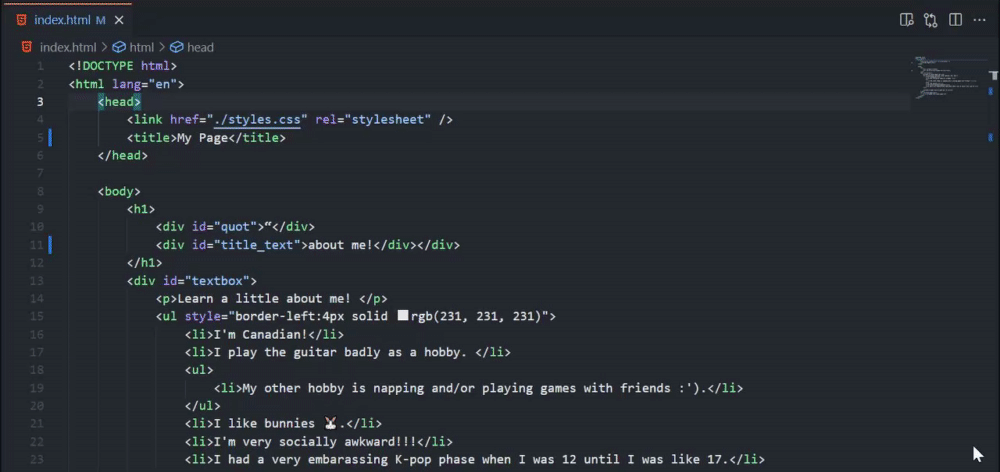
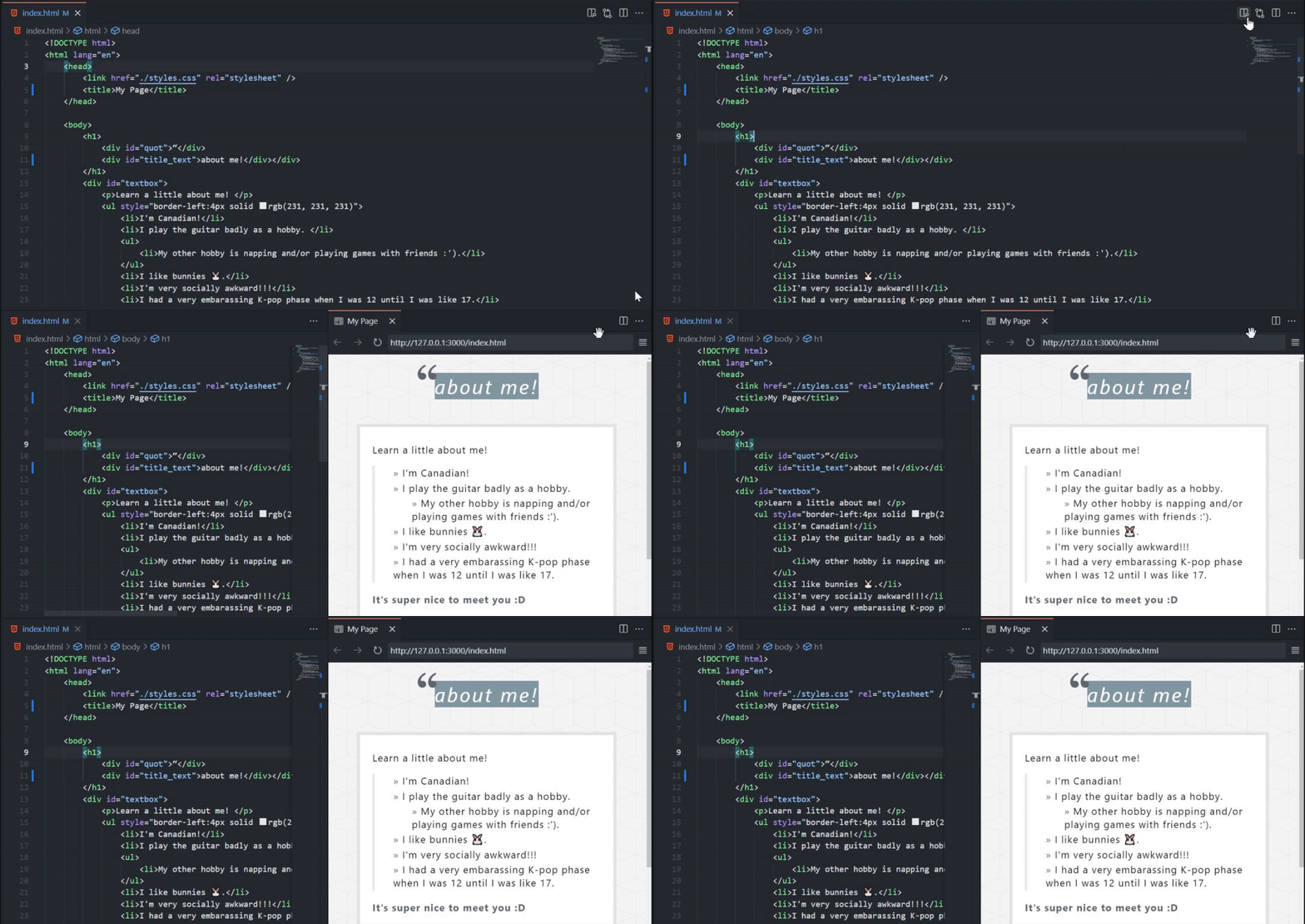
| setup-assets/preview-button-still.png | Microsoft Live Preview toolbar demonstration | javascript-construct.html, lab-programme.html, setup.html |
| setup-assets/preview-button.gif | Microsoft recording showing the preview button being clicked | javascript-construct.html, setup.html |
| setup-assets/preview-refresh.gif | Microsoft recording of a code edit updating the preview | setup.html |
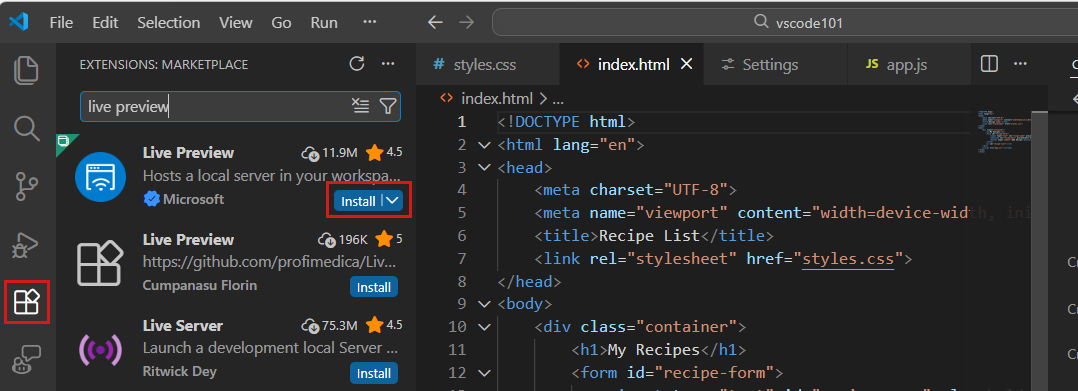
| setup-assets/vscode-extensions.png | The Extensions icon and Microsoft Live Preview Install button highlighted | setup.html |
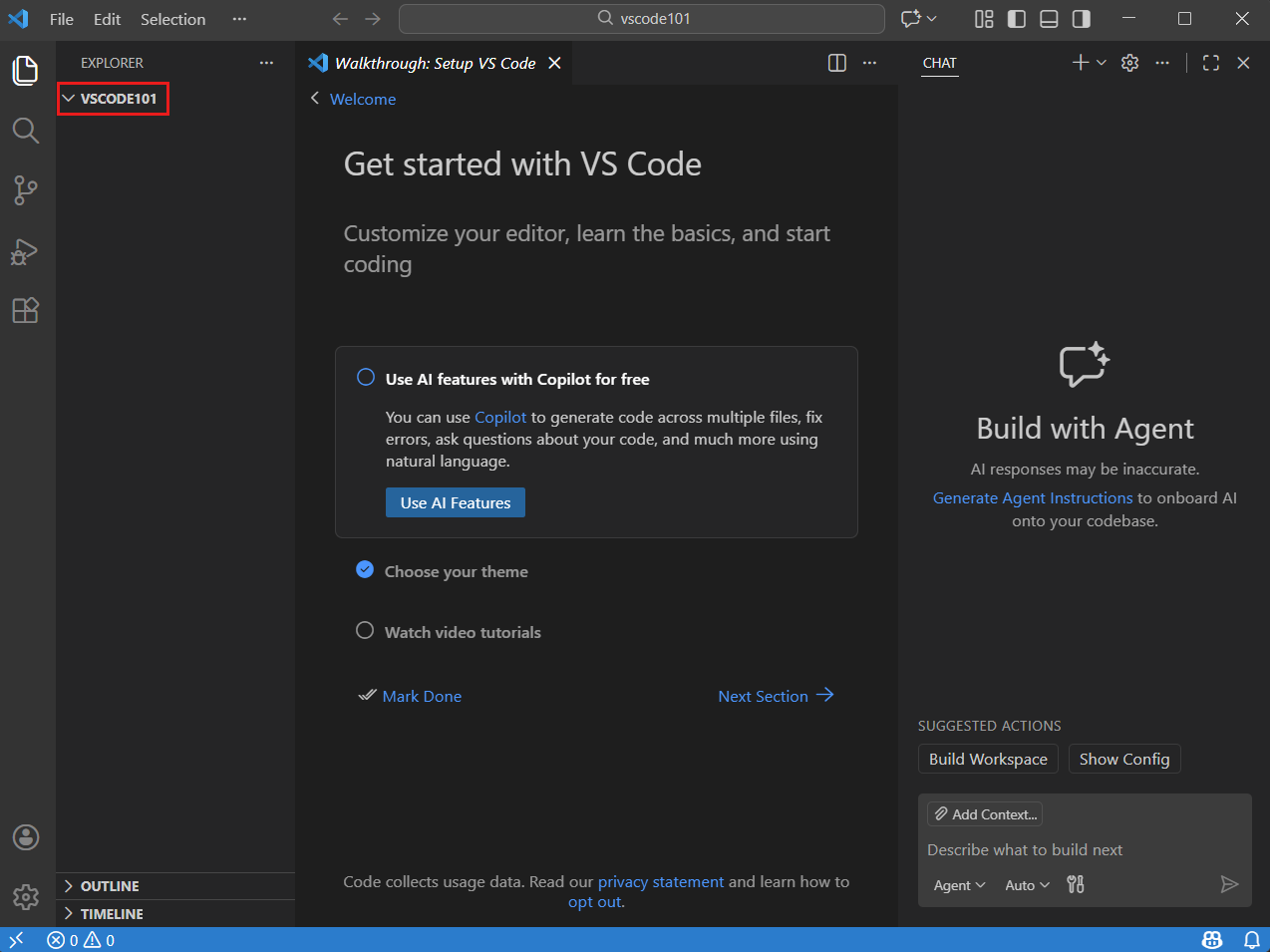
| setup-assets/vscode-folder.png | VS Code Explorer showing an open project folder | setup.html |
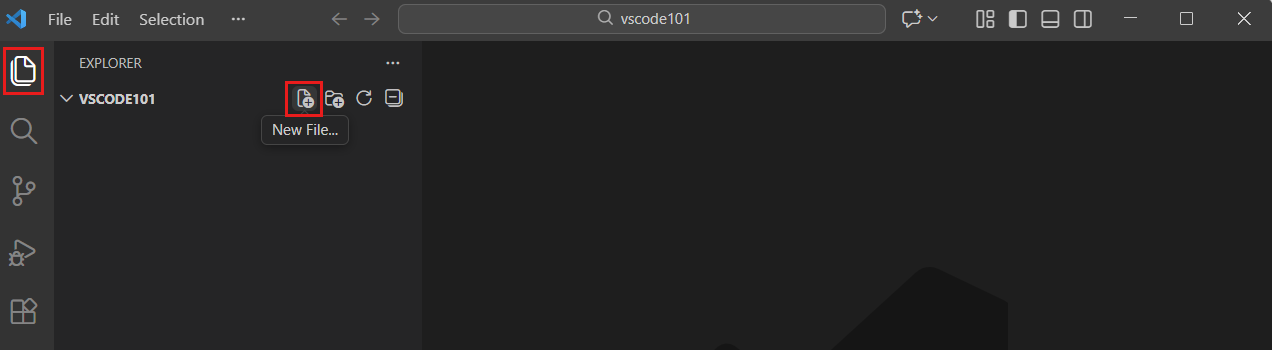
| setup-assets/vscode-new-file.png | VS Code Explorer with the New File button | javascript-construct.html, lab-programme.html, setup.html |
| student-qr-v2.png | QR code linking to the English student guides. A clickable link follows. | join.html |
| vibe-assets/chat-restore-checkpoint.webp | The Restore Checkpoint button above a chat message, which restores the workspace and chat to that point. | lab-programme.html |
| vibe-assets/chat-view-expanded.webp | The VS Code Chat view: a finished conversation, a Changed 2 files box, and Keep and Undo buttons above the chat input. | lab-programme.html |
| vibe-assets/copilot-edits-changed-files-full.webp | VS Code with Explorer, editor and Chat. The chat explains its change and the box 1 file changed +6 −6 offers Keep and Undo. | lab-programme.html |
| vibe-assets/copilot-edits-file-review-controls.webp | A proposed edit in VS Code: the removed line is red, the added lines are green, and Keep and Undo controls sit in the corner. | lab-programme.html |
| vibe-assets/copilot-signedout-sign-in.webp | The Copilot menu in the VS Code status bar, with the button Sign in to use Copilot. | lab-programme.html |
| vibe-assets/inline-chat-control.webp | Selected code in the VS Code editor with the inline chat box: Describe how to change this, Explain, and Review. | lab-programme.html |
| vibe-assets/language-models.png | Language Models editor with provider groups and visibility controls. | lab-programme.html |
| vibe-assets/model-picker.png | Model picker with Auto, Claude and GPT options. | lab-programme.html |
| vibe-assets/session-target.png | Session-target menu with Copilot, Claude, Codex and Local. | lab-programme.html |
| vibe-assets/sims1-0.webp | The original Sims: a furnished cutaway house with a pool and several different rooms. | lab-programme.html |
| vibe-assets/sims1-3.webp | The original Sims: a sparsely furnished room with a plaid sofa, mismatched chairs and a computer table. | lab-programme.html |
| vibe-assets/sims1-4.webp | The original Sims: a shared room where Sims read, play chess and paint. | lab-programme.html |








11 / Social media portfolio
Social media portfolio
Roles and responsibilities are drawn from Ingrid Ormevik’s CV. The Bergen Pride period, 2023-2026, was supplied by Ingrid for this portfolio. Queer Fashion of Scandinavia is documented in the CV as 2018-2024.
12 / Computing history: the time machine
Lab 3: Construct screenshots
Every picture in Lab 3 (Part 1 and Part 2) is a screenshot of the Construct 3 editor, release r506 at editor.construct.net, taken on 15 October 2026 in the free guest edition. Part 1 shows a new project built from an empty page. Part 2 uses Alinta Krauth's template Mapping as Nonlinear Networking (MappingasNonlinearStorytelling (2).c3p). The yellow frames and numbers were added afterwards to match the written steps. Nothing else in the pictures was changed. Construct 3 is made by Scirra Ltd.
Computing history: the time machine
Historical claims checked against university, museum and primary institutional sources on 8 October 2026. The 2078 laboratory and its cartoon Turing host are fiction. Host tips are teaching text, not quotations from Alan Turing. The six-question recap and XP reward are optional practice and do not change course completion.
| Claim used in the lab | Source |
|---|---|
| 1843: Lovelace published notes containing an algorithm for the proposed Analytical Engine. | MIT Lemelson: Ada Lovelace |
| 1936: Turing described a theoretical computation model using symbols, a tape and rules. | MIT OpenCourseWare: Theory of Computation, lecture 6 |
| 1947: the Harvard Mark II team recorded a moth in a relay. The term bug already existed. | Smithsonian: the original logbook |
| 1951: Christopher Strachey programmed music on the Manchester computer; a recording survives. | University of Manchester: computer music |
| 1968: Engelbart and his team demonstrated a mouse, linked information and collaboration. | MIT OpenCourseWare: Innovation Systems, class 7 |
| 1989: Berners-Lee proposed the Web at CERN; the first browser and server followed in 1990. | CERN: the birth of the Web |
Original SVG artwork and simplified teaching models created with AI coding assistance illustrate ideas rather than exact machine replicas. Synthesised three-note sequences are modern demonstrations, not historical recordings. Gears, tapes, relays, sound and linked paths reference the six historical ideas.
- Computer History Museum: Ada Lovelace’s 1843 notes
- Computer History Museum: Babbage’s engines
- Andrew Hodges: Turing and the 1936 universal machine
- Smithsonian: Mark II logbook and the 1947 moth; “bug” predates this incident
- British Library: Strachey, Manchester and the 1951 recording
- Doug Engelbart Institute: the 1968 demonstration and team
- CERN: the Web proposal in 1989 and first browser/server in 1990
13 / Construct orientation and completion scenes
Construct orientation and completion scenes
The tool introduction uses Construct’s interface manual and scripts in event sheets. Finish-scene engine artwork is original SVG inspired by mechanical computing. Practice checkpoints are student confirmations; they do not complete the course lab.
14 / Digital culture: perspectives, interaction and meaning
Digital culture: perspectives, interaction and meaning
The optional culture experiments are original teaching demonstrations inspired by these references. The sauna labels are authored examples, not results from a real image classifier. The branching room story is original writing, not a quotation from Rettberg. Their three-, three- and two-minute budgets are suggested practice times, not measured guarantees.
- Jill Walker Rettberg. Machine Vision: How Algorithms are Changing the Way We See the World. Polity, 2023. UiB: book and research context.
- Scott Rettberg. Electronic Literature. Polity, 2018. UiB: electronic literature research and book. The lab introduces interaction, branching and digital writing; it is not a summary of the entire book.
- UiB: Digital culture bachelor programme. Programme context: creative practice alongside cultural, aesthetic and ethical understanding of technology.
15 / Date audit · 8 October 2026
Date audit · 8 October 2026
Checked teaching-history dates, book dates and the five lab weekdays. Personal portfolio dates remain attributed to Ingrid’s supplied record. Future dates in stories and the 2078 laboratory are fictional settings.
- 1822: Babbage’s published Difference Engine proposal, not the completed large machine. CERN-hosted historical account.
- 1834: conception of the Analytical Engine. This replaces the overly definite 1837 design claim. Neither complete engine was built in Babbage’s lifetime. Computer History Museum.
- 1843: Lovelace’s notes and Note G. “First computer program” has been replaced by a description of the algorithm to avoid a disputed priority claim. Original text hosted by York University.
- 1936: Turing’s theoretical machine; original paper hosted by the University of Virginia. 1950: Computing Machinery and Intelligence, including the closing quotation. Mind / Oxford University Press.
- 1947: Mark II moth logbook; 1951: surviving Manchester computer-music recording; 1968: Engelbart team demonstration; 1989: Web proposal; 1990: first Web browser/server. Sources are recorded in the computing-history table above. The recording is not evidence of the first computer ever to play music.
- 2000: original The Sims debut, 4 February. Electronic Arts.
- Scott Rettberg’s Electronic Literature: first released in December 2018; frequently cited as 2019 in bibliographies. The lab now labels the first-release year. UiB book announcement. Jill Walker Rettberg’s Machine Vision: 2023, confirmed by the UiB source above.
The library’s other dates agree with its publisher or author links: Hayles 2008; Juul 2005 (first edition); Ruberg 2019; Manovich 2001 (first edition); Paul 2023 (fourth edition); Abbate 2012 (first edition); Benjamin 2019; Noble 2018; Costanza-Chock 2020; Crawford 2021. Cite the edition you actually use.
All five scheduled dates fall on Fridays in 2026: 2, 9, 16, 23 and 30 October. This validates calendar weekdays, not an independently confirmed university timetable.