DIGITAL CULTURETHE LAB / DIKULT105

DIGITAL ETHICS / THE ACCESS LAB

Build the ramp.

A staircase decides who gets in. So does an interface. Repair four barriers, and every repair builds a piece of the ramp.

4 barriers · about 15 minutes · no points, just better work

Start building ↓
  1. Readable
  2. Reachable
  3. Calm
  4. Described

RAMP 0 / 4

The accessibility console at the top of this page is real. Open it and try 200% text, high contrast or reduce motion on any page in the lab.

01

SEE / CONTRAST

Make it readable.

The barrier: this notice is grey on grey. Many people cannot read it, and nobody can in bright sunlight.

NOTICE

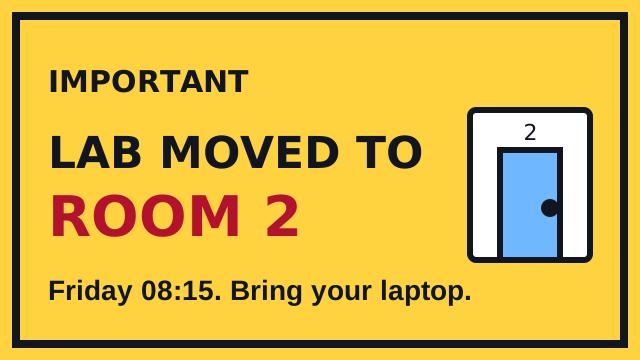
Lab moved to room 2. Bring your laptop.

Contrast: …

Enable JavaScript to try this station.

Why it matters

Text needs a contrast ratio of at least 4.5 : 1 against its background (7 : 1 is even better). Low vision, tired eyes, cheap screens and sunlight all lower what people can actually see.
W3C: text contrast ↗

02

MOVE / KEYBOARD

Make it reachable.

The barrier: one of these doors only opens with a mouse. People who use a keyboard, a switch or a screen reader cannot reach it.

Put the mouse away. Press Tab until a door has a bright ring, then press Enter.

Door A

Enable JavaScript to try this station.

Why it matters

A real <button> works with mouse, touch, keyboard and screen readers for free. A clickable <div> looks the same but skips everyone who does not use a mouse. Use a button for actions and a link for navigation.

W3C: keyboard access ↗

03

FOCUS / MOTION

Let people choose.

The barrier: this screen never stops moving. For people with vestibular disorders, migraines or attention differences, movement can make a page unusable.

BREAKING: EVERYTHING IS MOVING · CLICK HERE · NEW NEW NEW ·

Enable JavaScript to try this station.

Why it matters

Anything that moves by itself for more than five seconds needs a way to pause, stop or hide it. Your code should also listen to the device setting prefers-reduced-motion: some people have already said no.

W3C: animation from interactions ↗

04

HEAR / ALT TEXT

Say what it is.

The barrier: the most important message on this page is inside a picture. A screen reader cannot read text in an image.

WHAT A SCREEN READER SAYS

“image, ramp-poster.svg”

Enable JavaScript to try this station.

Why it matters

Alt text is the picture, in words, for people who cannot see it. Say what matters, not “image of”. If the picture only decorates, use alt="" so screen readers skip it.

W3C: images tutorial ↗

NOW YOUR OWN PROJECT

Find one barrier in your work. Fix it. Test again.

Test the interface, not the person. Do not pretend to experience someone else’s disability. People have different needs: offer choices, and listen when someone tells you something does not work.

For your code: two things to copy

A real button already works with the keyboard:

<button type="button" id="gate">Open gate</button>
<p id="result" role="status">Ready</p>

A visible focus ring, and respect for reduced motion:

button:focus-visible, a:focus-visible {
  outline: 3px solid #1759b0;
  outline-offset: 4px;
}
@media (prefers-reduced-motion: reduce) {
  .decoration { animation: none; }
}
What counts as a useful test? (W3C)

These are starting points, not a claim that this site meets every WCAG requirement. If any part of the lab keeps you from taking part, tell your lab assistant so we can find a way through together.

A connection to DIKULT106

DIKULT106, Critical Approaches to Technology and Society, examines technology through cultural, social and normative questions, including accessibility and digital ethics. The question here: whose needs become the default, and who has to ask for an exception?

The official DIKULT106 course description ↗

← Back to the lab map · All guides